
That's what one anonymous OnlyFans creator reportedly pulled in last year, without showing her face once. Her secret? AI-generated content that looked indistinguishable from real photoshoots.
xMode AI is the tool behind stories like this. A platform where you upload a few photos, train a personalised AI model, and suddenly you've got unlimited NSFW content on demand.
Faceless creators building entire brands. Models scaling their output without burning out. Privacy-obsessed influencers keeping their real identity completely separate from their spicy content.
Sounds almost too good, right?
We thought the same. So we grabbed some tokens, trained models, generated hundreds of images, and pushed every feature to see what actually holds up, and what's just marketing fluff.
Here's everything we found.
🤷♀️ What is xMode AI?
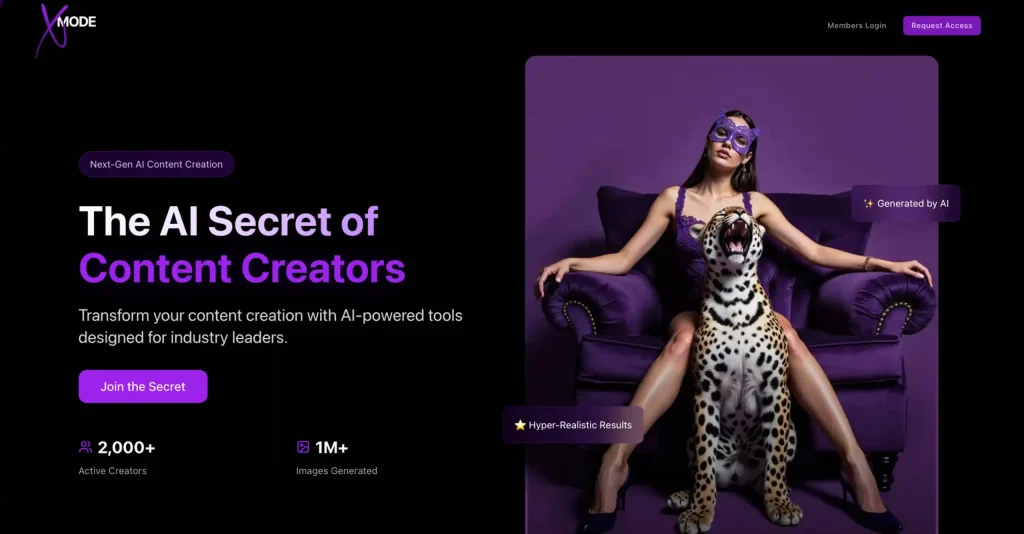
xMode AI is an AI-powered image and video generation platform built specifically for adult content creators, OnlyFans models, and digital influencers.
The tool trains personalised AI models using your uploaded photos, then generates hyper-realistic NSFW images through text prompts or pre-made style packs.
Key capabilities include custom AI model training, face swap, anonymous content creation through X Secret Mode, and short video generation from static images.
With over 8,000 active creators and 4 million images generated, xMode AI operates on a pay-as-you-go token system, no monthly subscriptions required. Privacy features include end-to-end encryption and automatic deletion of source photos after processing.
🤔 Does xMode AI Actually Deliver? Here's How We Scored It
| Feature | Rating | Details |
|---|---|---|
| AI Model Training | 4.8/5 | Two training options with impressive quality output |
| Image Generation Quality | 4.7/5 | Hyper-realistic results with consistent face accuracy |
| Customization Options | 4.9/5 | Insane level of control over every detail |
| NSFW Capabilities | 5.0/5 | Completely uncensored with no filters |
| Privacy & Anonymity | 4.6/5 | X Secret Mode for total anonymity |
| User Interface | 4.5/5 | Clean design but takes time to master |
| Pricing Model | 4.8/5 | Pay-as-you-go, no subscriptions |
| Overall Rating | 4.7/5 | One of the best AI content creation tools for creators in 2026 |
xMode AI scores a proper impressive 4.7/5 for its hyper-realistic image generation, complete creative freedom, innovative anonymity features, and flexible pricing that doesn't lock you into monthly subscriptions.
🚀 Getting Started: The Onboarding Experience
The onboarding won't give you a headache; xMode keeps it refreshingly straightforward.
You pick between two training tiers, and honestly, the choice depends on how serious you are about output quality.
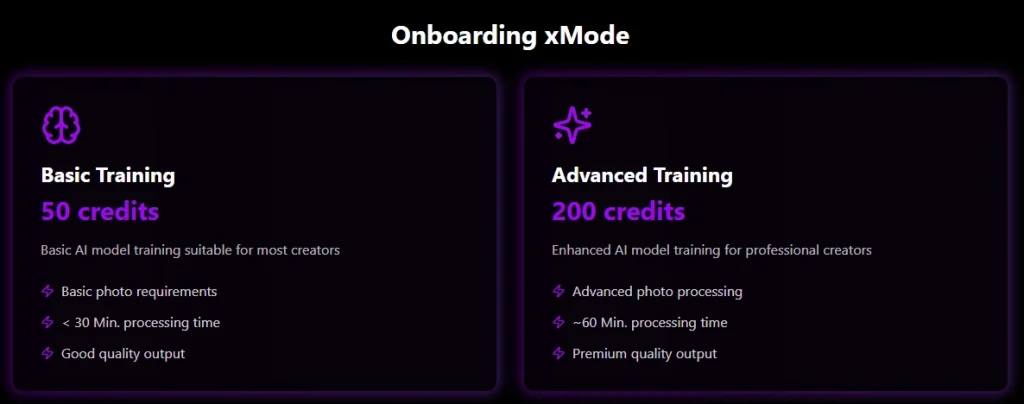
Basic Training (50 tokens) gets you started quickly. Under 30 minutes, upload a handful of photos, and you've got a working AI model. For creators just testing the waters or building a side hustle, this does the job without burning through tokens.
Advanced Training (200 tokens) is where things get proper impressive. The extra processing time pays off, facial accuracy is noticeably sharper, skin textures look realistic, and the overall output doesn't scream “AI-generated.” If you're monetising content or need consistency across hundreds of images, this tier is worth every token.
As shown above, the interface clearly breaks down what each tier offers. No hidden catches, no confusing upsells.
One thing we appreciated: your source photos get wiped immediately after training. Privacy-first approach that actually means something when you're uploading intimate content.
xMode AI Face ID: Generate Content Without Full Model Training
Now, this feature deserves its own spotlight.
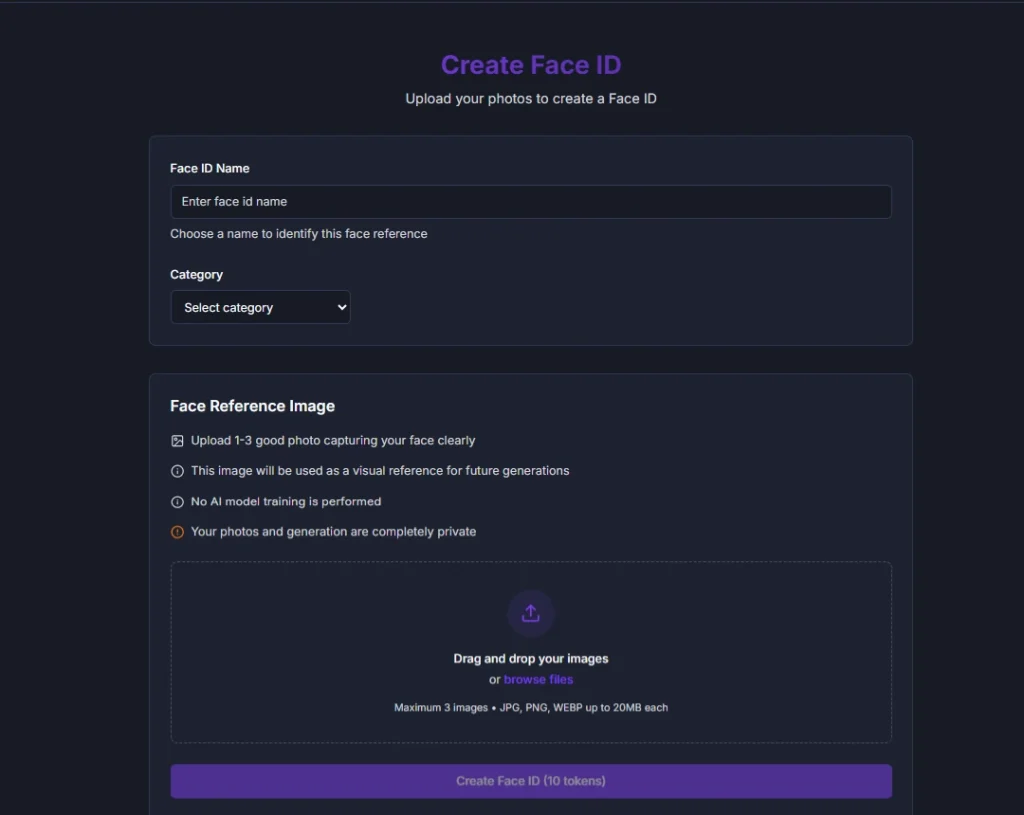
The Face ID option lets you skip full model training entirely. Upload 1-3 clear photos of your choice, give it a name, and you've got a face reference that costs only 10 tokens. No AI model training happens; it's purely a visual reference for future generations.
Why does this matter? Sometimes you just want quick content without waiting for full model training. Face ID is brilliant for:
You can categorise your Face IDs under faces, outfits, toys, poses, or others, keeping your library organised when you're pumping out loads of content.
xMode AI Playground: Prompt, Video & Edit Tools Reviewed
The Playground is where xMode AI truly shines for content creators. We tested all three tabs, here's the honest breakdown.
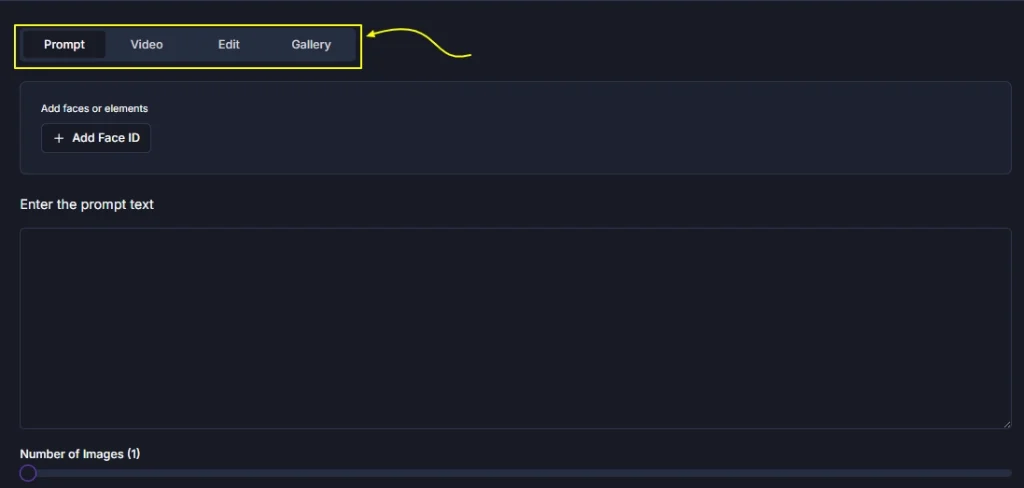
Prompt Tab: Your Creative Command Centre
The Prompt tab is where you type out exactly what you're imagining, and watch xMode AI bring it to life.
You get a clean text box to describe exactly what you want, poses, outfits, settings, the lot. The “+ Add Face” button lets you attach your trained AI model or Face ID before generating.
What caught our attention: the Number of Images slider that lets you batch generate multiple outputs in one go. Each generation costs just 2 tokens, which is proper reasonable compared to other NSFW AI generators we've tested. Type your filthy fantasy, select how many images you want, hit generate, sorted.
No clutter, no confusing menus. Just you and your imagination.
Video Tab: Static to Steamy Motion
This is where your spicy AI images come alive.
The Video tab transforms any generated image into short animated clips, bouncing, posing, smiling movements that add genuine motion to your content.
You pick between SFW (safe for work) or NSFW (adult content) categories before generating. The workflow requires you to first create images in your Gallery, then convert them to video. It's not instant video generation from text; you're animating existing creations.
For OnlyFans teasers or social media promos, this feature is bloody useful. Just remember it pulls from your Gallery, so generate your images first.
Edit Tab: Tweak Without Starting Over
Made an image that's almost perfect but needs a small fix? The Edit feature saves you from regenerating entirely.
Click the edit icon on any generation in your Gallery, describe what changes you want in the prompt box, and the AI adjusts your existing image. Costs only 2 tokens per edit, much cheaper than creating fresh content from scratch.
Perfect for fixing minor details, changing outfits, or adjusting poses without losing that killer shot you already generated.
xMode AI Generation Packs: Batch Create NSFW Content Instantly
Not everyone fancies writing prompts from scratch. Generation Packs solve this.
These are pre-built collections organised by theme, Bikini, Portraits, Spread It, DSLR Sexy Pose, Cosplay, and dozens more. Each pack generates 20 images for 20 tokens.
What we actually liked about this:
For OnlyFans creators or anyone building a content library, Generation Packs are massive time savers. You select your model, pick a pack, and let the AI do the heavy lifting.
X Secret Mode: Create Anonymous AI Content Without Showing Your Face
xMode AI's X Secret Mode is built for creators who want complete privacy while generating NSFW content. Instead of showing your actual face or body, this feature transforms you into an entirely different person, while still looking hyper-realistic.
As shown above, the platform demonstrates this with their “Mona Lisa” example. One base reference image gets transformed into four completely different women each with unique features, body types, and ethnicities.
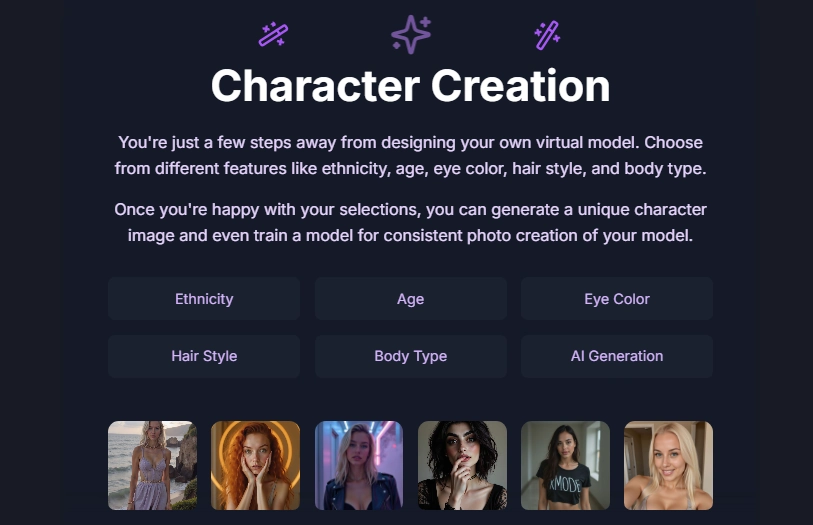
What X Secret Mode Can Transform:
From what we tested, the transformations are genuinely impressive. We fed in reference images and got outputs that looked like completely different people while maintaining that hyper-realistic quality xMode is known for
xMode AI MixMode: Blend Photos for Unique AI Generations
The MixMode feature is where things get creative.
Upload any photo, your spicy selfies, cosplay shots, whatever, and blend it with another image at various percentages. The results range from subtle style transfers to complete transformations.
During testing, we experimented with the output difference slider:
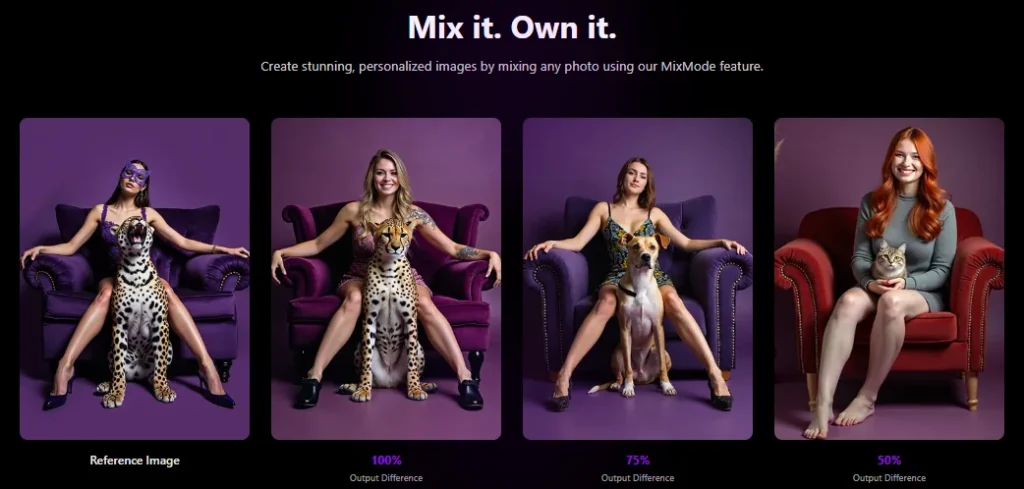
This feature is absolute gold for creators wanting unique content that stands out from generic AI generations. Mix your face with different body types, blend styles, or create variations of the same pose with different aesthetics.
xModels Library: Free Public AI Models for Content Creation
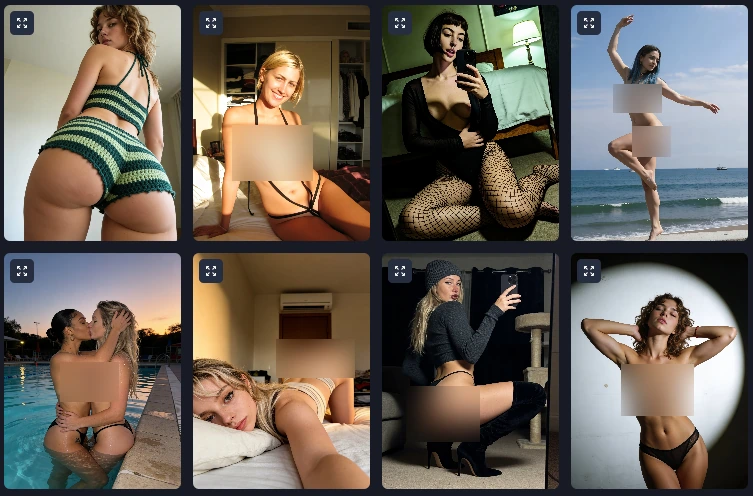
This is a library of AI models created by other users that you can use for your own generations. From what we browsed, the quality is genuinely solid; these aren't dodgy, glitchy AI faces. They look proper and realistic.
Why use public models?
Some creators use public models alongside their own trained models to create different personas or collaborative-style content. Smart thinking, that.
xMode AI Video Generator: Turn Images into Animated Clips
One feature that caught our attention is the Image-to-Video capability.
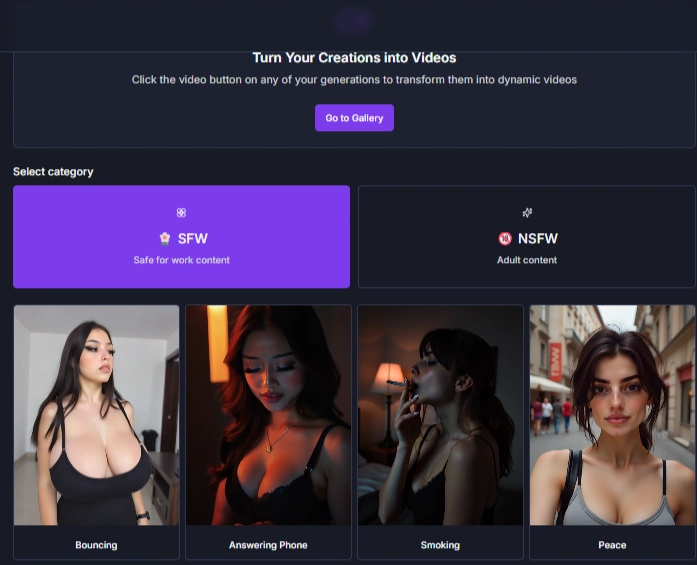
Any image you generate can be turned into a short video clip with one click. During our testing, we found options like:
The videos are short, 2 seconds currently, but they add genuine motion to your content. For social media teasers or OnlyFans promotions, this is properly useful without requiring separate video software.
Quality-wise, the animations looked smooth during our testing. Not cinematic, but definitely good enough for content monetisation.
Extra AI Tools: Face Swap, Character Creation & Kontext
Beyond basic image generation, xMode AI packs in three additional tools that turn this platform into a proper content creation suite.
xMode AI Face Swap: Fix or Replace Faces on Generated Images
Got a generated image where the body is perfect, but the face came out wonky? Face Swap sorts that out.
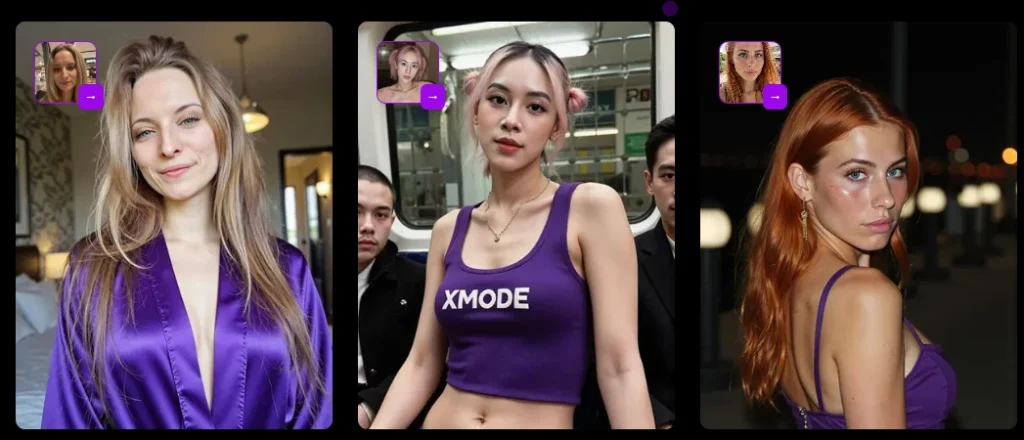
This tool lets you swap or fix faces on any image in your Gallery with AI precision. Click the Face Swap icon, select which face you want to use, and the AI replaces it while keeping everything else intact. You'll need at least 10 tokens in your balance to access this feature.
It's brilliant for placing your AI model into different scenarios or fixing those occasional face glitches that AI generators sometimes produce. No need to regenerate the entire image, just swap the face and move on.
Character Creation: Build Your Dream AI Model From Scratch
Don't have photos to upload? No problem. Character Creation lets you design a completely fictional virtual model from the ground up.
Customisation Options:
Once you're happy with your selections, hit generate, and xMode creates your unique character image.
The real kicker?
You can then train a full AI model from that character for consistent content across multiple generations. Basically, you're building a fictional persona that pumps out unlimited content without using anyone's real photos.
Kontext by xMode AI: Edit Images Using Text Prompts
Kontext is xMode's precision editing tool for tweaking your generated images.

Instead of regenerating from scratch when something's slightly off, Kontext lets you make targeted edits. Click the Edit icon on any generation in your Gallery, describe what changes you want, and the AI adjusts your image accordingly.
It's contextual editing, the AI understands what you're asking and applies changes without messing up the rest of the image.
Think of it as Photoshop, but you're giving instructions in plain English instead of fiddling with layers and brushes.
💸 xMode AI Pricing 2026: Token Costs, Packs & Elite Plan Explained
Here's where xMode AI gets interesting, no bloody subscriptions.
It's completely pay-as-you-go with credits (they call them tokens):
| Token Package | Price | Per Token Cost |
|---|---|---|
| 50 tokens | $11 | $0.22 |
| 300 tokens | $45 | $0.15 (Save 70%) |
| 600 tokens | $80 | $0.133 (Save 73%) |
| 1,200 tokens | $140 | $0.117 (Save 77%) |
xMode Elite for serious creators costs $465 for 4,000 tokens plus VIP access, including private Discord channels, priority generation queue, and the option to list your model publicly.
1 token = 1 image generation. Face ID creation costs 10 tokens. Video generation costs 20 tokens. Model training costs 50-200 tokens depending on the tier.
Honestly, compared to monthly subscriptions that drain your wallet whether you're creating or not, this pricing model makes sense for most creators.

Ohgirlfriend Recommends
🤔Is xMode AI Worth It? Our Honest Verdict After Testing
Phew, that was a proper deepppp!!!!
After all the testing, countless generations, and way too many late nights playing with prompts, we're genuinely impressed.
xMode AI delivers exactly what it promises: uncensored, hyper-realistic content with privacy that actually works. No subscription traps, no filter nonsense.
Is it perfect? Nah. But for creators serious about AI-generated NSFW content, this one's a keeper.

Lucas – your go-to wingman in the world of AI girlfriends and virtual flings. From testing voice moans and NSFW chatbots to rating roleplay realism and emotional depth, he’s tried everything so you don’t have to. Whether you’re chasing a cute cuddle bot or a full-on spicy fantasy AI, Lucas gives you the no-filter lowdown on who’s worth your time (and your late nights).
Affiliate Disclosure: This post may contain some affiliate links, which means we may receive a commission if you purchase something that we recommend at no additional cost for you (none whatsoever!)