AI Girlfriend App Refund Policy Guide 2026 (All Platforms)
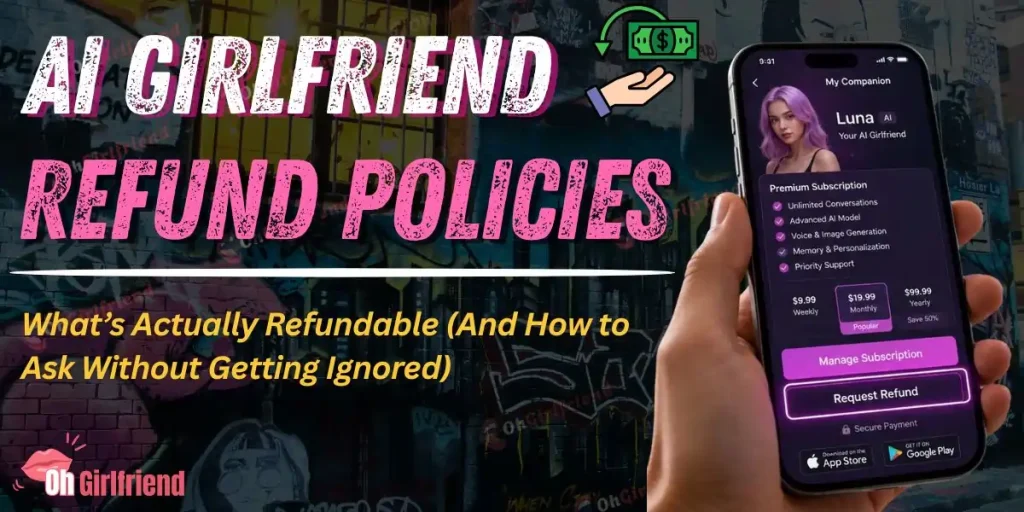
Quick Answer (Read This First):
Most AI girlfriend apps do not refund “consumed” stuff (tokens, credits, one-time media packs) and they’re way more likely to consider a refund only when the charge is recent, accidental, or tied to a billing bug.
The biggest factor isn’t the app. It’s where you paid:
If you’re reading this because you feel annoyed, embarrassed, or slightly financially violated… breathe. I’ve been there. This guide is the calm, practical “here’s what to do in the next 10 minutes” playbook.
And yes, this applies whether you’re dealing with a mainstream subscription or a spicy token economy.
The same refund logic hits the usual suspects people ask me about—Candy AI, OurDream AI, GirlfriendGPT, XTease AI, and Kupid AI because the refund gate is often the platform you paid through, not the flirt level of the app.
Why AI Girlfriend Refunds Feel So Messy (It’s Not Just You)?
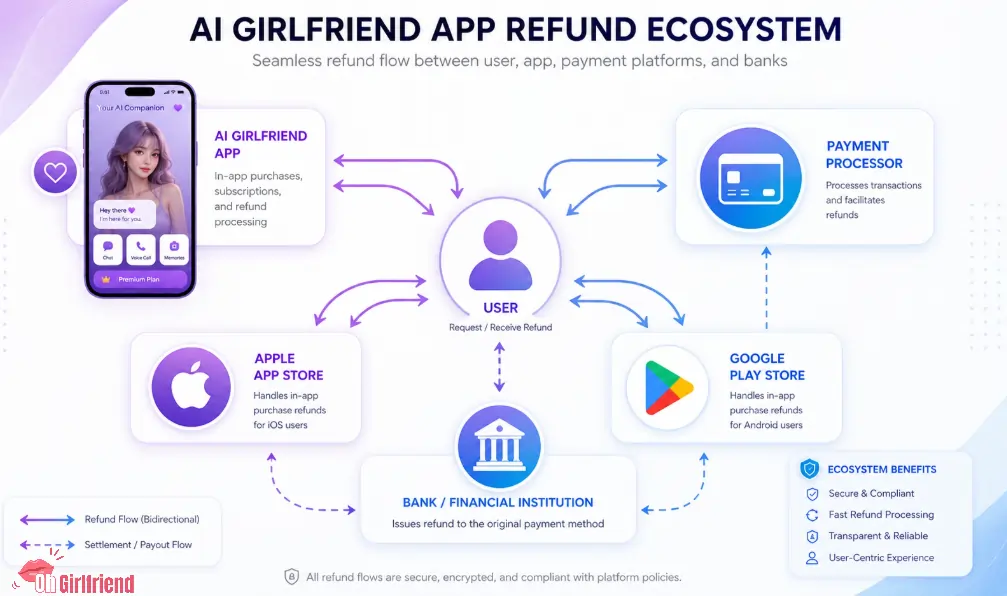
AI girlfriend apps are a perfect storm for refund confusion:
So when someone says, “Just request a refund,” it’s incomplete advice. The real question is: refund from who, for what, and under which policy?
Refund Eligibility Cheat Sheet (By Where You Paid)
| Where you paid | What you likely bought | Who controls refunds | What’s most likely refundable | What’s usually not refundable |
|---|---|---|---|---|
| Apple App Store (iPhone/iOS) | Subscription, in-app purchase | Apple | Accidental/duplicate charges, very recent renewals, some unused IAPs | Consumed tokens/credits; “I didn’t like it” after heavy use |
| Google Play (Android) | Subscription, in-app purchase | Google (often) | Recent charges, billing errors, some subscription renewals | Consumed credits; older charges |
| App website (card/PayPal/etc.) | Subscription, credit packs, bundles | The company / processor | Billing bugs, unauthorized charges, immediate cancellations, clear misrepresentation | Used credits, “charge was expected but I regret it” |
| Crypto / gift cards | Credits/bundles | Usually nobody | Rarely anything | Almost always non-refundable |
You can absolutely get a refund sometimes. You just have to treat it like a small process, not a vibe.
Step Zero: Decide What You’re Asking For (Refund vs Cancel)

These are different:
Do both when you need both. If you only do one, you can end up refund-less and still subscribed. Pain.
Do This Before You Request a Refund (5-Minute Prep That Helps a Lot)
Cancel the renewal immediately
Refund requests go better when you can honestly say, “I canceled as soon as I noticed.” It shows you’re not trying to keep access while negotiating.
If you paid through Apple subscriptions, Apple’s official cancellation instructions are here: Apple Support Page
Grab proof (don’t overdo it—just be ready)
Keep it simple. You want:
Write one clean sentence explaining the reason
Support teams don’t read novels. The best refund requests sound like:
Stop using the app if you’re arguing “unused”
If your claim is “I didn’t use it,” continuing to use it is… not the vibe.
Know what you purchased (subscription vs credits)
This is huge. Credits/tokens are often considered consumed digital goods, even if you “didn’t mean to use them.”
If you’re not sure whether the app uses tokens/credits, start with your pricing pages and explainers. For example:
If You Paid on iPhone (Apple App Store): How Refunds Usually Work
Apple has its own refund request flow. In many cases, the app’s support team can’t “override” Apple’s decision for an App Store purchase.
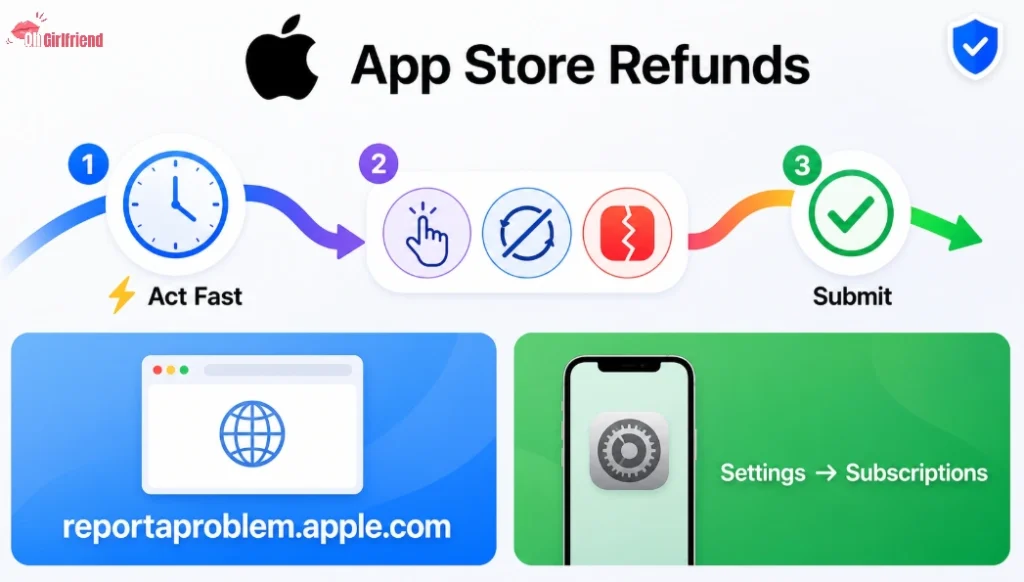
What helps with Apple refunds in practice:
If your AI girlfriend app subscription is billed through Apple, start with Apple’s subscription management page
And if you’re trying to keep your spending private, Apple’s controls around subscriptions and purchase permissions matter too: Apple support page
If You Paid on Android (Google Play): Similar Story, Different Gatekeeper
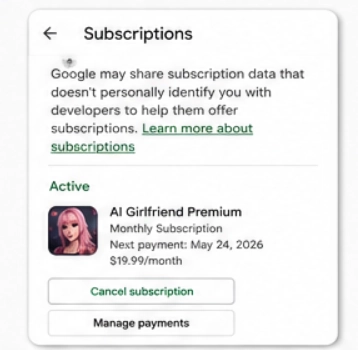
Google Play refunds and cancellations are their own ecosystem.
Again: you can message the app, but if the purchase is a Play-billed transaction, Google may be the final stop.
In general, your refund odds improve when:
If You Paid on the App’s Website: You’re Negotiating With a Company (Not a Store)
When you buy through the app’s website, refunds are usually governed by:
This is where the tone of your request matters. You want to be direct, factual, and non-threatening.
Common Refund Scenarios (And What To Say)
| Scenario | What to do first | Your best argument | What to avoid saying |
|---|---|---|---|
| Free trial converted to paid | Cancel renewal immediately | “Accidental renewal; I canceled as soon as I noticed.” | “I forgot, so it’s your fault.” |
| Duplicate charge | Screenshot both charges | “Duplicate billing for same period/item.” | Angry accusations without details |
| Paid, then couldn’t log in | Document error + timestamps | “Service inaccessible immediately after purchase.” | “I hate this app” with no technical detail |
| Bought credits, used some, regret | Be realistic | “Please consider partial refund or credit transfer.” | Claiming “unused” after heavy usage |
| Minor made the purchase | Lock account + cancel | “Unauthorized minor purchase; request reversal.” | Sharing personal info you don’t need to share |
| Adult content expectations mismatch | Point to what was promised | “Mismatch between listing and delivered features.” | Graphic details; moral arguments |
| Suspected fraud / unauthorized payment | Contact payment provider | “Unauthorized transaction; I did not initiate.” | Threatening chargebacks as opener |
That last column matters. You can be spicy in your love life; don’t be spicy in refund emails. Keep it clean.
Copy-Paste Refund Request Scripts (Use These)
Script A: Accidental renewal / trial conversion
Subject: Refund request for accidental renewal (Order ID: ___)
Hi Support Team,
I’m requesting a refund for a charge on [date] for [plan/item] (Order/Transaction ID: [ID]).
This was an accidental renewal after a trial, and I canceled immediately once I noticed the charge.
Please confirm the refund (or the next step if this was billed through Apple/Google)
Thank you,
[Name]
Script B: App didn’t work after payment
Subject: Refund request — service unavailable after purchase (Order ID: ___)
Hi Support Team,
I paid for [plan/item] on [date/time] (Order/Transaction ID: [ID]).
After payment, I was unable to access the service due to [login error / blank page / account lock].
I’m requesting a refund due to service not being usable after purchase.
Thanks,
[Name]
Script C: Duplicate charge
Subject: Duplicate charge refund request (Order IDs: ___ and ___)
Hi Support Team,
I was charged twice for [plan/item] on [date] (Order/Transaction IDs: [ID1] and [ID2]).
Please refund the duplicate transaction.
Thank you,
[Name]
Should You Do a Chargeback? (Only If You’re Ready for the Fallout)
Chargebacks can work, but they’re not a “free refund button.” A chargeback is basically telling your bank, “this transaction is disputed.”
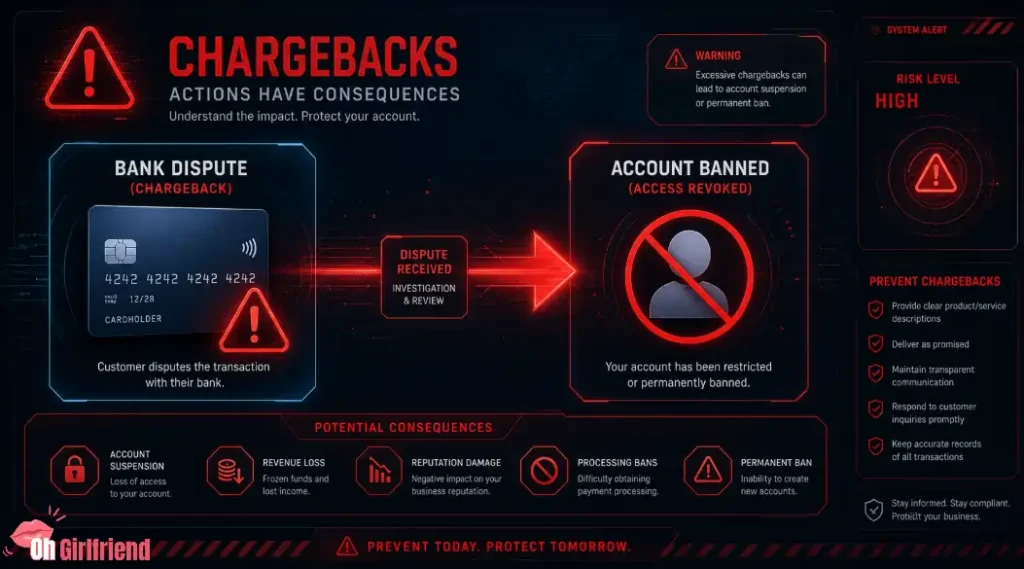
Common outcomes:
If you genuinely didn’t authorize the payment, or you were charged repeatedly after cancellation, a chargeback can be appropriate. But treat it as the last tool in the drawer—not the first.
How To Avoid Refund Drama Next Time (My Practical “Don’t Get Burned” Rules)
Start monthly. Always.
Yearly plans are tempting. They also create bigger refund fights. Test the vibe on monthly before you go long-term.
Set a reminder for trials
The simplest move: set a phone reminder for 24 hours before the trial ends. That one reminder can save you the whole “support ticket shame spiral.”
Screenshot the plan screen before paying
Not because you’re paranoid. Because plan names and token limits can be unclear. One screenshot can settle a lot of arguments fast.
Use privacy-first billing habits
If discreet billing matters (and yes, it does), read a discreet billing guide and choose payment methods that protect your real-life peace.
If you’re doing adult AI subscriptions, my general advice is: treat it like any other subscription category you’d prefer not to explain at Thanksgiving. Keep it clean. Keep it controlled.
Learn the token/credit economy before you tap “Buy”
Token-based apps are fun until they feel like a vending machine. Understanding “subscription vs credits” helps you predict whether you’ll end up angry.
Here are a few OhGirlfriend pages that help with that mental model:
“Which AI Girlfriend Apps Refund More?” (The Only Honest Answer)
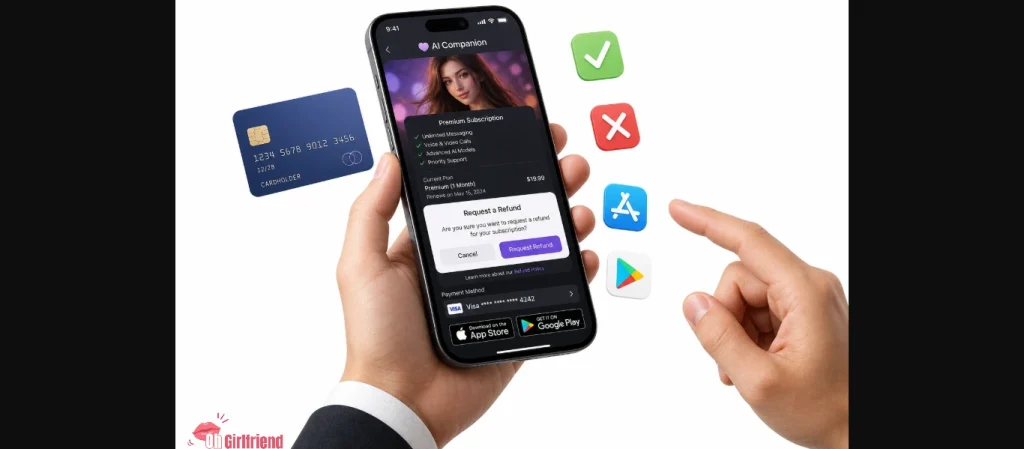
I’m not going to lie to you with a fake ranking. Refund behavior changes with:
What you can do is look for refund-friendly signals before buying:
If an app hides the terms, hides the cancel button, or makes pricing feel like a puzzle… that’s not “edgy.” That’s a red flag.
Safety + Privacy Notes (Yes, This Matters Even in a Refund Guide)
If you’re requesting a refund, be careful about what you include in messages:
If you want a broader privacy baseline for AI companions, start here: Is Candy AI Safe?
FAQ's Related to AI Girlfriend Refund Policies
Are AI girlfriend subscriptions refundable?
Sometimes. Subscriptions are the category most likely to be refunded if the charge is recent and tied to an accidental renewal, duplicate billing, or a service failure. Refund odds are usually lower if you used the service heavily for days and then changed your mind.
Are AI girlfriend tokens / credits refundable?
Usually no. Most apps treat tokens/credits like “consumable digital goods,” which are commonly listed as non-refundable once delivered or used. You can still ask—especially if it’s a duplicate charge or you couldn’t access what you paid for—but don’t assume it’s a normal retail return.
If I paid through the App Store, should I contact the app or Apple?
Start with Apple. App Store billing often means Apple controls the refund decision. You can still contact the app for account issues, but for charge reversal, Apple’s refund flow is typically the right path.
What if I forgot to cancel my free trial?
You can request a refund, especially if you canceled immediately after noticing. It’s not guaranteed, but “accidental renewal after trial conversion” is a common reason used in refund requests.
Will an app ban me if I do a chargeback?
It can. Many services treat chargebacks as high-risk behavior and may lock or terminate the account. That doesn’t mean you should never do it—fraud is fraud—but you should expect access loss as a possible outcome.
How do I keep AI girlfriend charges discreet?
Use the subscription tools your platform provides, avoid sharing devices/accounts with family members who can see receipts, and control renewal reminders. Also consider privacy-friendly payment habits (like using monthly plans and monitoring statements regularly).

More From OhGirlfriend
Final Verdict: Your Best Refund Strategy in 2026
If you take only one thing from this guide, make it this:
- Cancel renewal immediately (so you stop the bleeding).
- Request the refund from the right place (Apple/Google/company).
- Use a short, factual script (accidental renewal, duplicate charge, app broken).
- Save chargebacks for actual fraud or repeat billing after cancellation.
Refunds aren’t guaranteed, but you can dramatically raise your odds by moving fast and being specific.

Lucas – your go-to wingman in the world of AI girlfriends and virtual flings. From testing voice moans and NSFW chatbots to rating roleplay realism and emotional depth, he’s tried everything so you don’t have to. Whether you’re chasing a cute cuddle bot or a full-on spicy fantasy AI, Lucas gives you the no-filter lowdown on who’s worth your time (and your late nights).
Affiliate Disclosure: This post may contain some affiliate links, which means we may receive a commission if you purchase something that we recommend at no additional cost for you (none whatsoever!)