Kupid AI Video Feature Tested: Are the AI Girlfriend Clips Worth It? (2026)
Is the Kupid AI video feature worth it?
After a week of generating clip after clip, my honest answer is: it’s a genuinely fun add-on for people who already pay for Kupid AI, but not a reason to subscribe on its own.
The image-to-video mode is the star. Text-to-video is more of a gamble.
The clips are short (4 to 12 seconds), the realism is “good at a glance,” and everything sits behind a paywall.
Below is exactly what I did, what rendered well, what flopped, and whether the kupid ai video tool earns its credits.
⚡ Quick Verdict (TL;DR)
🤷🏻♀️What Is the Kupid AI Video Feature?
Kupid AI started as a text-and-photo AI companion app and has been steadily stacking on new toys: voice notes, image generation, and now video.
The video feature lets you turn your AI girlfriend into a short animated clip instead of just reading her messages or asking for a still selfie.
What makes it stand out in 2026 is that most AI girlfriend apps still stop at photos. Kupid is one of the few offering on-demand video of the same character you already chat with and customise.
On paper that’s a lovely upgrade. In practice it’s a mixed bag, which is exactly the part sales pages skip and the part I’m here to cover.
🤔 How Does Kupid AI Video Generation Work?
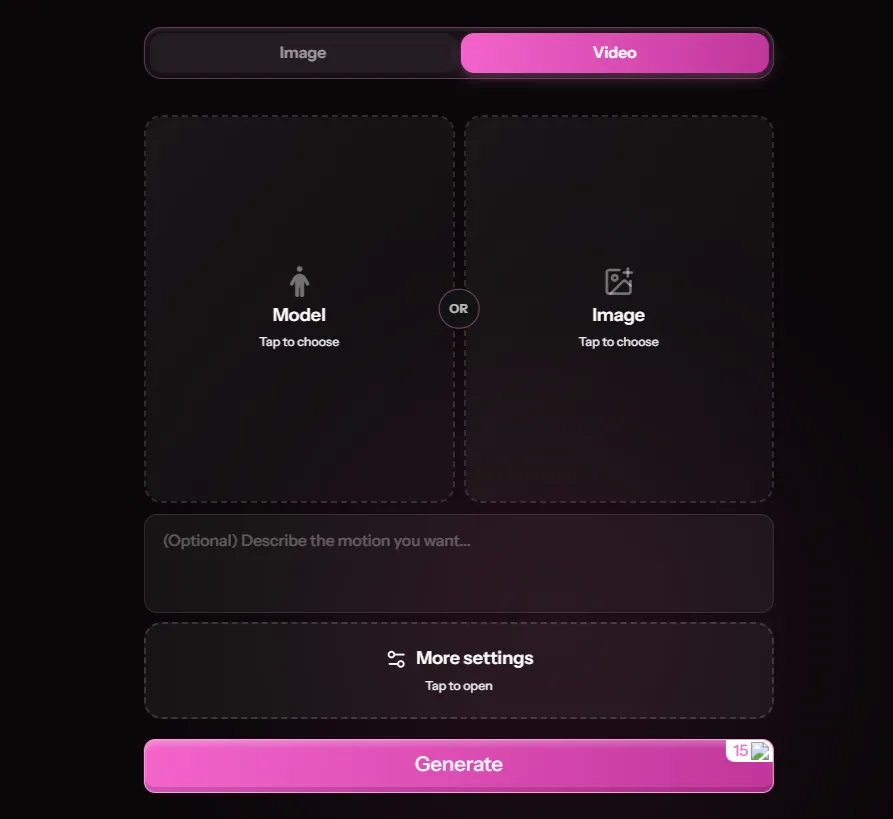
Kupid gives you two separate tools, and understanding the difference saves you wasted credits.
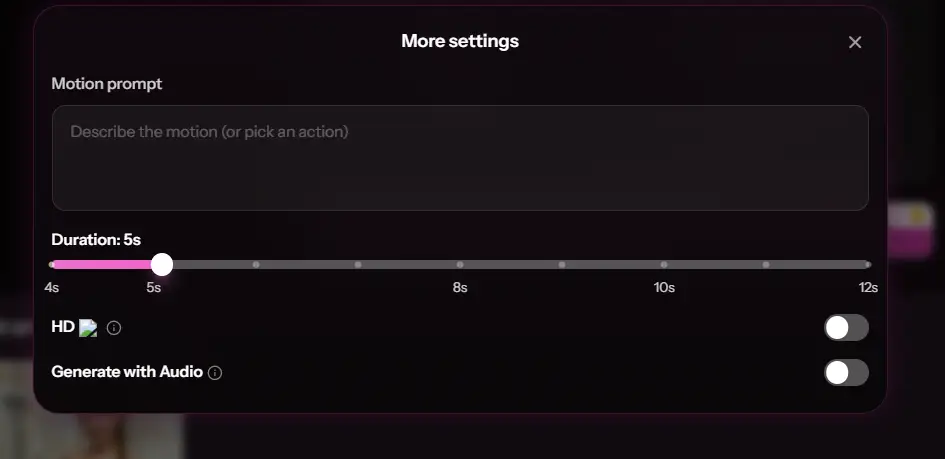
Image-to-Video starts from a still. You generate (or pick) an image you already love on Kupid, then animate it. You choose an action preset or write a custom prompt, set the duration, toggle audio, and hit generate.
Because the AI already has a locked-in face and body to work from, this mode stays far more consistent with your character.
Text-to-Video skips the image entirely. You type a scene from scratch (character, action, style, mood, lighting) and it generates a fully animated clip directly.
Kupid’s own guidance suggests being specific, e.g. describing the character, the action, a style like “hyper-realistic” or “anime,” and lighting like “soft candlelight.” More freedom, but more room for the AI to wander off-prompt.
Both modes let you set clip length to 4, 5, 8, 10, or 12 seconds and offer a Generate with Audio toggle. Kupid notes audio may be auto-adjusted in rare cases for quality.
🪜My Step-by-Step Test of Kupid AI Video
I ran this on a paid plan so I’d have full video access, then set two goals: make one clean, flirty, realistic clip, then push into spicier territory.
Round one, image-to-video. I picked a hyper-realistic character on purpose, since realistic output is where AI video usually wobbles most and I wanted the hard test. I generated an image I liked, dropped into image-to-video, chose a slow teasing action, set it to 8 seconds with audio on, and hit generate.
The result genuinely looked like her: soft, a touch dreamy, but recognisably my character doing roughly what I asked. A real small win.
Round two, text-to-video. This is where my patience got tested. I typed a detailed prompt exactly the way Kupid recommends.
The output rendered, but it played loose with my instructions. I got a “close enough cousin” of what I’d described rather than the exact scene. A couple of re-tries got me nearer, but each attempt burned time and credits.
The honest headline:
Image-to-video is the dependable workhorse; text-to-video is the moody, creative gamble. If you want a predictable result of your girl, start from an image.
🤔 How Long Do Kupid AI Clips Take to Generate?
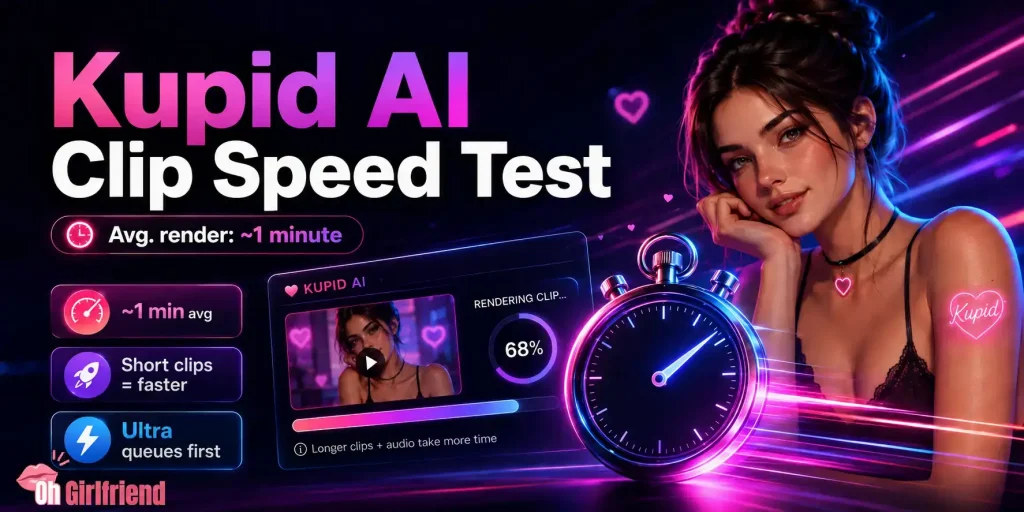
Not instant, but not painful. My image-to-video clips rendered in roughly a minute each on a normal connection.
Text-to-video felt slower overall, mostly because the re-generations added up. Longer durations (10 to 12s) and audio-on clips take a little more time than the short 4 to 5s ones.
Render priority also scales with your plan. Higher tiers get faster queue placement, so Ultra users wait less than Pro users. For most people the Pro wait is perfectly fine once you expect the occasional re-try.
👍 Are the AI Girlfriend Clips Actually Any Good?
Here’s my honest take after a proper play.
When image-to-video lands, the clip mostly looks like your character, which is the whole point. The motion is gentle and soft rather than crisp, and hands still do that classic AI shimmer now and then. If you’ve seen AI video before, you know the look: pretty at a glance, a little melty if you stare.
Text-to-video was the weaker twin. It rarely nailed my prompt to the letter, giving loose interpretations of specific poses or actions. Quality across both modes sits at “okay to good” rather than jaw-dropping. Think fun flirty teaser, not a polished reel you’d mistake for real footage.
Clip length shapes the whole experience. Even at the 12-second max, these are quick moments, not scenes with a start, middle and end. Lovely as a pick-me-up; less satisfying if you wanted something longer to sink into.
Optional audio is a nice touch that adds warmth when it works. It won’t fool anyone, but a short breathy line over a clip adds flavour.
🎥 Can You Make NSFW Videos on Kupid AI?
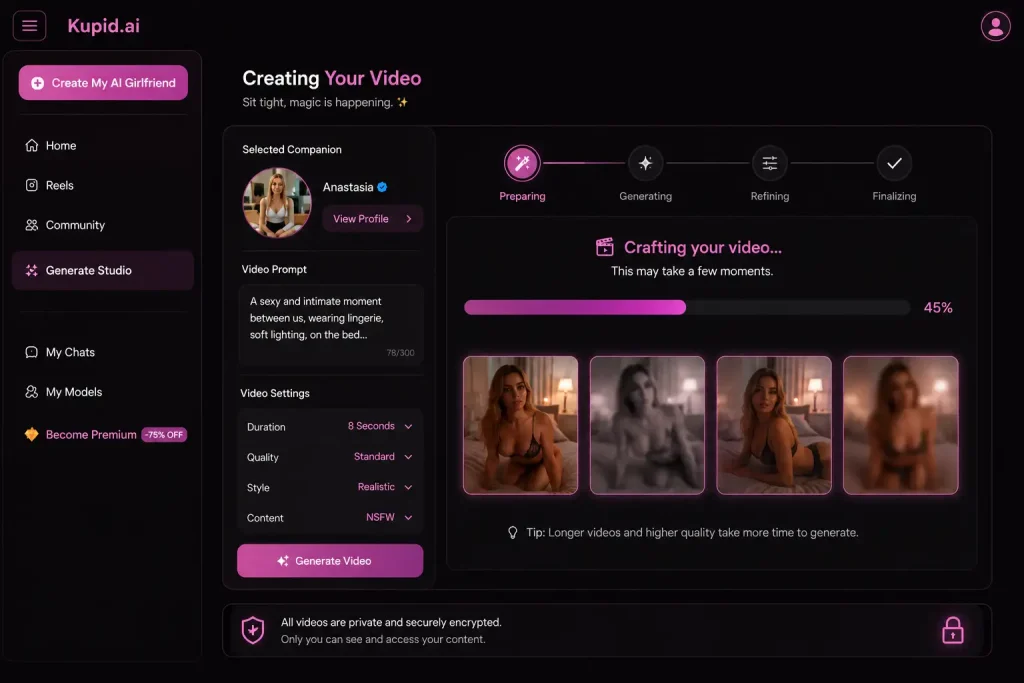
Yes, and this is why a lot of you are here. Kupid AI will happily go spicy with video, more so than plenty of tamer apps that clam up the moment things heat up.
You can steer your companion into naughtier territory and the clips follow.
Keep your expectations grounded, though. The steamy clips look the same as the innocent ones: a little soft, a little wobbly, and short.
So it’s suggestive tease rather than full explicit film. Because the motion stays dreamy and the length is tiny, the spicier stuff never quite tips into believable. It lives firmly in fun-fantasy land, which for many people is exactly the appeal.
🤑 What Does the Kupid AI Video Feature Cost?
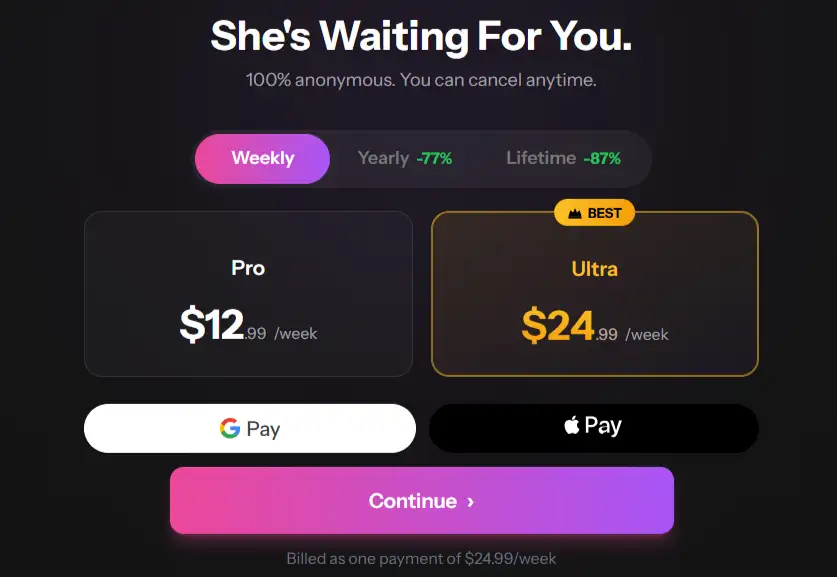
Video is a paid-only perk. The free tier doesn’t include it, so this is a subscriber toy from the start. Here’s how the two paid tiers stack up (prices at the time of testing):
| Plan | Weekly price | Yearly (effective/week) |
|---|---|---|
| Pro | $12.99/week | ~$3.44/week (billed yearly) |
| Ultra | $24.99/week | ~$5.75/week (billed yearly) |
Paying weekly gets expensive fast, so the yearly billing is where it actually makes sense. Kupid also offers a one-off Lifetime option for anyone who wants to pay once and forget it, and markets discreet billing, which some of you will care about more than others.
The real question isn’t the video price in isolation. It’s whether the whole Pro or Ultra bundle earns its keep for you, with video as one slice alongside chat, images and voice.
Weekly video caps also shrink quickly once you start re-generating text-to-video attempts, so factor that in.
Note: Kupid’s plans and caps change often, so always confirm current numbers and limits on the live subscriptions page before buying.
✅ So, Is the Kupid AI Video Worth It?
If you already pay for Kupid AI, treat video as a fun bonus. It’s a laugh, it goes spicy on demand, and it adds life beyond text and photos. Inside a package you’re already enjoying, it earns its spot.
If you’re eyeing Kupid AI purely for the clips, pump the brakes. The quality is middling, text-to-video will test your patience with loose results and re-tries, and short clip lengths cap the payoff. As a headline reason to subscribe, kupid ai video doesn’t quite carry the weight alone.
My score for the video feature: 3.5 / 5. Decent, cheeky, occasionally impressive, but not best in class. The kind of feature you’ll enjoy heavily for a week, then dip into now and then.
🤔 Are There Better AI Girlfriend Video Apps?
Kupid AI is grand for a casual play, but it isn’t the sharpest AI girlfriend video tool going.
Plenty of newer companion apps push longer, cleaner clips with tighter prompt control and fewer failed generations, and some let you steer the action far more precisely than Kupid’s loose text-to-video managed for me.
Kupid sits comfortably mid-pack: fun for dabbling, fine as part of a bundle, but not the one I’d crown if video is your whole reason for signing up.
Test a couple of rivals’ free tiers before you commit.
❓ Frequently Asked Questions
Is the Kupid AI video feature free?
No. Video generation is locked to paid plans (Pro and Ultra). The free tier doesn’t include video at all.
How long are Kupid AI videos?
You choose the duration: 4, 5, 8, 10, or 12 seconds, with optional audio. These are short teasers, not full scenes.
Does Kupid AI make NSFW video?
Yes, it goes spicy. Just expect the same soft, slightly wobbly quality as the tame clips: suggestive tease rather than full adult film.
Why does my Kupid AI video keep failing or ignoring my prompt?
Text-to-video is the flakier mode and tends to interpret prompts loosely. Image-to-video is far more reliable, so start from an image if you want fewer misses and fewer wasted credits.
Does Kupid AI video look realistic?
Kind of. Image-to-video mostly matches your character, but motion is soft and hands can glitch. Realistic-ish rather than lifelike. Both hyper-realistic and anime styles are supported.
What’s the difference between text-to-video and image-to-video?
Image-to-video animates an existing still for consistent results. Text-to-video generates a clip straight from a written prompt: more freedom, less predictability.
Is Kupid AI video worth paying for?
As a bonus inside Pro or Ultra, yes. As the only reason to subscribe, no. The clips are fun but middling.

More From OhGirlfriend
🎯 Bottom line
The Kupid AI video feature is a cheeky little extra, not the main event.
I enjoyed messing with it, image-to-video especially, but short clips, loose prompt-following, and middling realism keep it firmly in bonus territory.
Pay for Kupid AI for the full package and enjoy the video as a spicy side dish. Don’t sign up for the clips alone.

Lucas – your go-to wingman in the world of AI girlfriends and virtual flings. From testing voice moans and NSFW chatbots to rating roleplay realism and emotional depth, he’s tried everything so you don’t have to. Whether you’re chasing a cute cuddle bot or a full-on spicy fantasy AI, Lucas gives you the no-filter lowdown on who’s worth your time (and your late nights).
Affiliate Disclosure: This post may contain some affiliate links, which means we may receive a commission if you purchase something that we recommend at no additional cost for you (none whatsoever!)