Sudowrite for Kindle Unlimited Authors: Start Publishing More
Sudowrite for Kindle Unlimited authors is no longer just a curiosity. If you're writing romance in KU and trying to hit two books a month, you need every practical edge you can find.
This article breaks down exactly how Sudowrite fits into a rapid-release workflow, what it actually does well, and where it falls flat. No fluff. No fairy tales. Just the real stuff.
Why Kindle Unlimited Romance Authors Burn Out So Fast
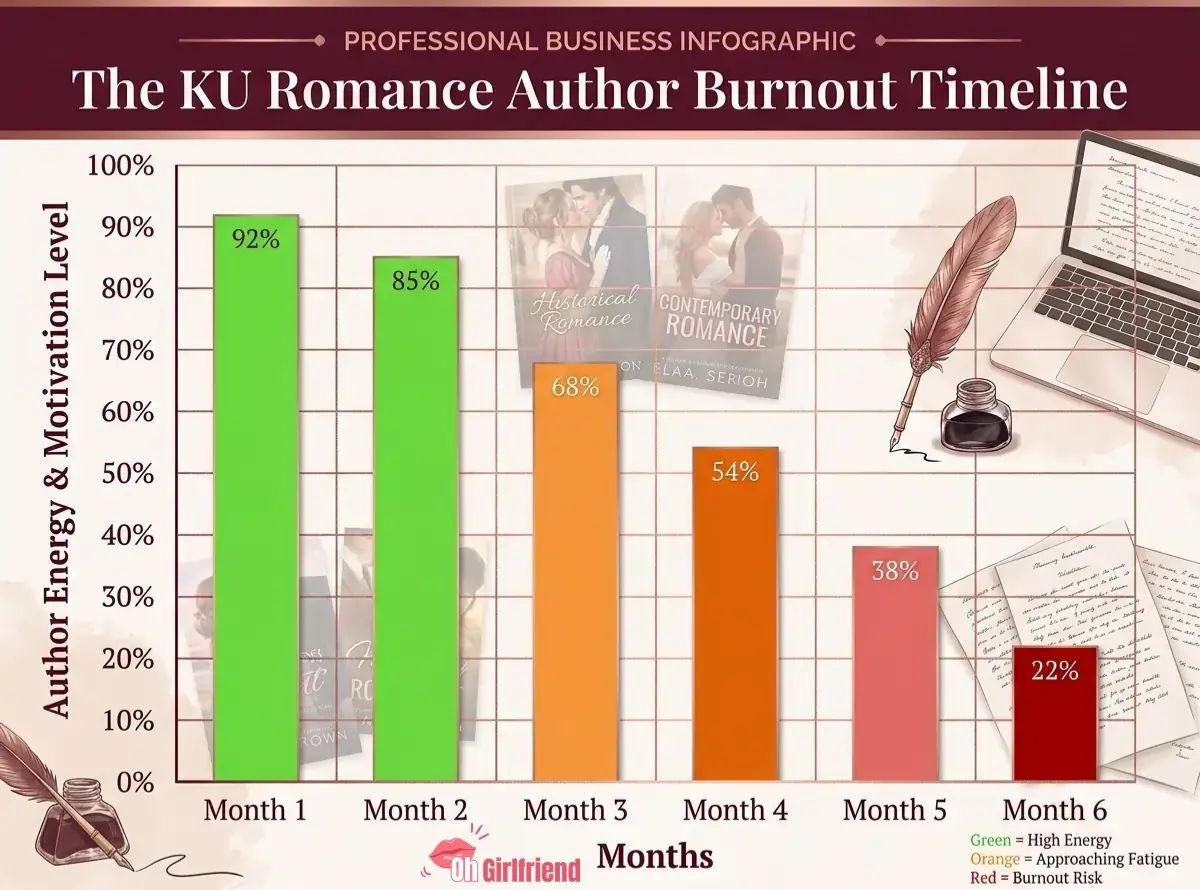
Publishing two romance novels a month sounds exciting on paper.
In reality, it's brutal.
You're plotting, drafting, editing, formatting, and uploading all at the same time. Then you start the next book. The algorithm rewards consistency, but consistency is exactly what burns authors out faster than anything else.
Most KU romance authors aren't slow because they lack ideas. They're slow because they get stuck mid-scene, spend three hours rewriting the same paragraph, or lose momentum between books.
That's precisely where Sudowrite earns its keep.
What Is Sudowrite for Fiction Writers
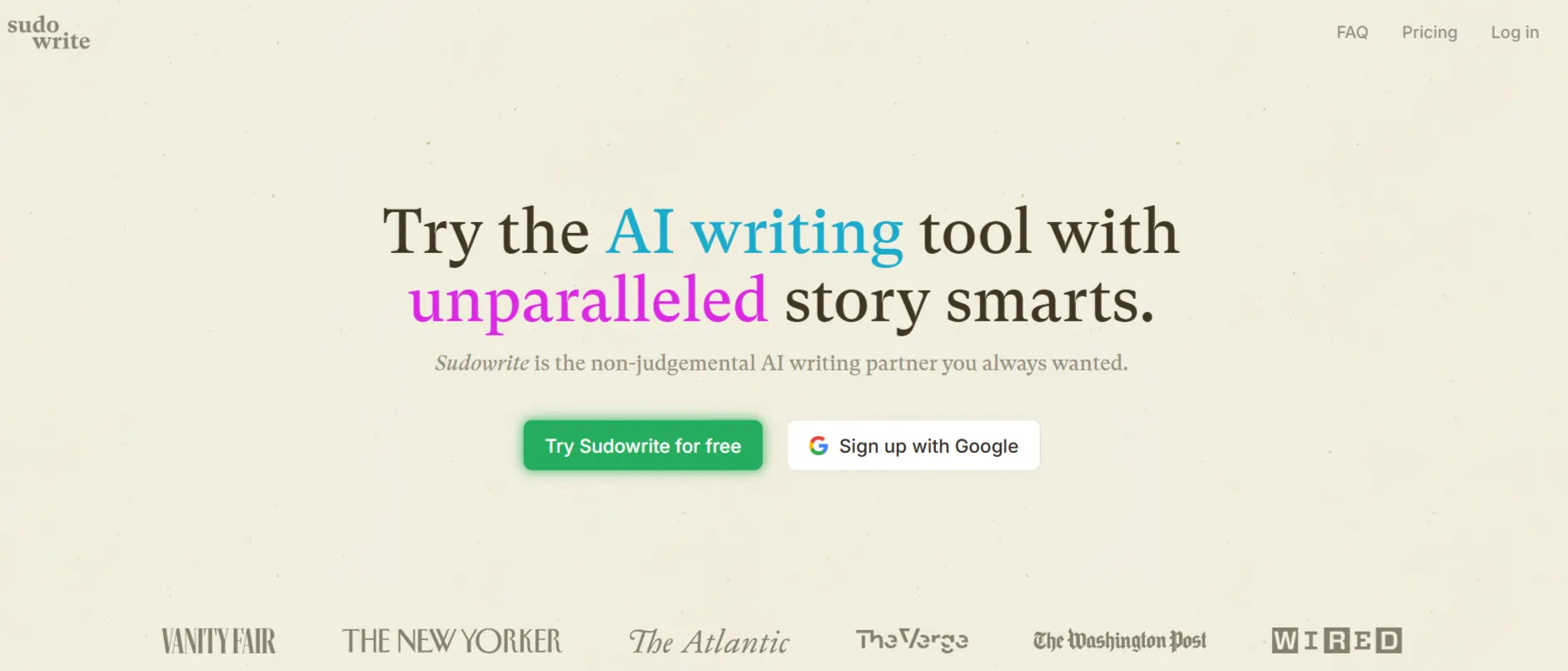
Sudowrite is an AI writing tool built specifically for fiction. Not blog posts, not ad copy, not Instagram captions. Fiction.
Its latest model, Muse 1.5, is trained specifically for narrative storytelling. That matters enormously when you're writing romance, because generic AI tools produce generic prose. Romance readers are not forgiving about that.
Sudowrite analyses your characters, your tone, and your plot arc before it generates a single word. That's what separates it from pasting your manuscript into a generic chatbot and hoping for the best.
It starts at $10 a month after a free trial, and no credit card is required upfront.
5 Features Of Sudowrite for Kindle Unlimited Authors to Use Daily
There are five features that romance authors in the rapid-release world use most. Here's the plain-English version of each one.
Story Bible: Your Series Command Centre
This is your story's home base.
You fill in your characters, your world, your synopsis, and your chapter outline. Sudowrite reads all of this before it helps you write anything. For a KU author publishing two books a month, this is genuinely valuable. Your Story Bible keeps the AI consistent so your hero's eye colour doesn't mysteriously change between chapter two and chapter ten.
It also saves your neck when you're on book six of a series and you genuinely cannot remember what your secondary character's job was in book two. Story Bible has it. 😅
Think of it as your continuity assistant that never sleeps and never complains.
Write Tool: Draft 500 Words in Minutes
This is the feature you'll use every single day.
Auto Write continues your story without any prompt from you. Guided Write lets you tell the AI what should happen next, and it generates up to 500 words in that direction. It reads your style, your character voices, and your tone. On a good day, the output sounds like you, not like a robot trying to be you.
KU authors typically lean on Guided Write for key scenes: the meet-cute, the first kiss, the midpoint crisis, and the grand gesture. It's faster than staring at a blank screen and more controlled than letting the AI wander off into a completely different subplot.
Expand: Fix Rushed Scenes Instantly
Some scenes in your draft will feel rushed.
You wrote the big emotional moment in three sentences when it needed three pages. Expand fixes exactly that problem. You highlight the passage, hit Expand, and Sudowrite builds it out with description, sensory detail, and emotional weight.
For romance specifically, this is where the tool really shines. Slow-burn tension scenes, the almost-kiss, the charged conversation where nothing is said but everything is felt. Expand adds layers without speeding up the physical action before you're ready. It's not just adding words. It's adding the right words.
Rewrite: Edit Without the Ego Battles
Rewrite is your editing partner that doesn't have feelings you can hurt. 😂
You highlight any passage and Rewrite gives you alternative versions. You can tell it to be more emotional, punchier, slower, spicier, or more restrained. It takes direction extremely well.
For KU authors, Rewrite is brilliant for fixing flat dialogue, clunky transitions, and scenes that feel off but you can't quite pinpoint why. The Rewrite tool works best on shorter passages (under 600 words), so use it surgically rather than dumping in whole chapters.
Feedback Tool: Spot Weak Chapters Fast
This tool reads your chapter and gives you three specific areas to improve.
It looks at pacing, character consistency, and narrative tension. It won't tell you your book is brilliant just to be kind. It flags what's not working, which is exactly what you need when you're moving fast and don't have time for three rounds of developmental editing.
This doesn't replace a human editor. But it replaces a lot of the self-doubt spiral that slows authors down in the middle of a draft.
Daily Sudowrite Workflow for KU Authors
Let's get into the actual structure. Not theory. A real daily approach that works.
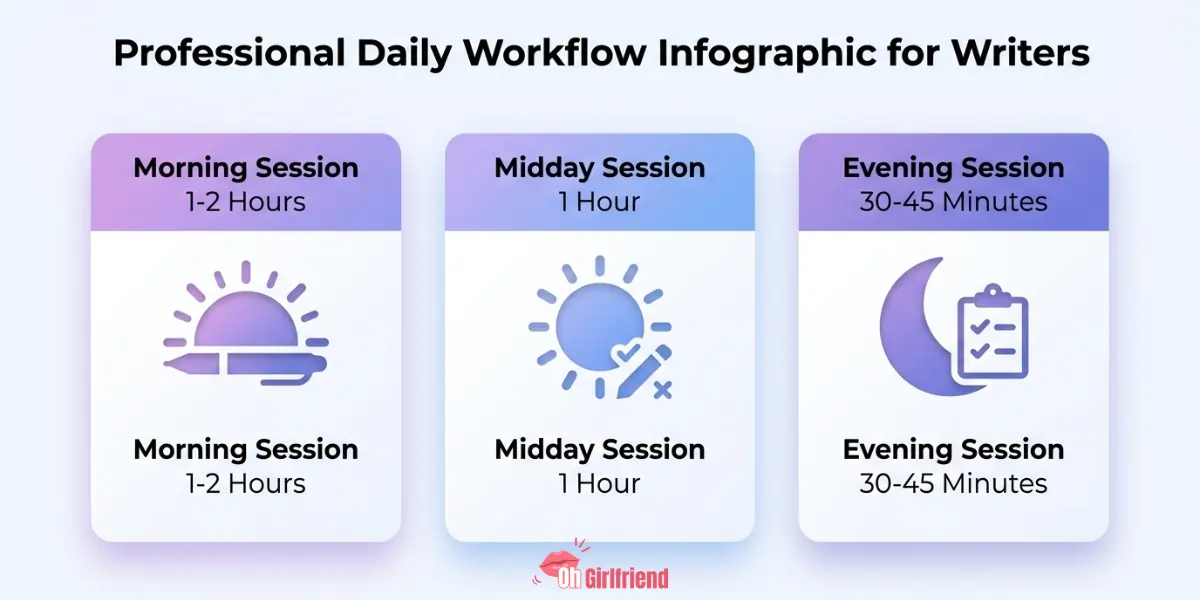
Morning session (1 to 2 hours)
Start with Guided Write.
Write a few sentences or a rough paragraph for the scene, tell Sudowrite what needs to happen, and let it generate a draft. Edit that draft. Move on. This back-and-forth method keeps your voice in the story while dramatically speeding up the drafting process.
You are not accepting AI output wholesale. You're using it as a fast first draft that you then shape into something that sounds like you.
Midday session (1 hour)
Use Expand on scenes that felt thin in the morning session.
A lot of romance writers draft lean and flesh out later. Expand is built for exactly that approach. You wrote the scene skeleton in the morning. Now you're adding the emotional muscle, the sensory detail, the pacing that makes readers feel something.
This is also the right time to use Rewrite on any passages that felt clunky when you re-read them.
Evening session (30 to 45 minutes)
Run Feedback on the chapters you wrote that day.
Note the suggestions. You don't have to act on all of them immediately. But knowing where your pacing is dragging helps you plan the next day's session more efficiently and means your editing pass at the end of the book is significantly shorter.
Keep Your Author Voice While Writing Fast
This is the fear every serious author has. And it's completely fair.
Generic AI content is a real, visible problem in KU right now. Readers notice when books sound the same. It damages your reputation and your reviews.
Here's the honest answer to how Sudowrite handles this.
The tool uses your Story Bible, your style notes, and your existing prose as context for everything it generates. The more specific and detailed your inputs are, the more the output sounds like your book. The more vague and bare your setup is, the more the output sounds like everybody else's book.
Your voice comes from the work you put into the setup stage, not from the AI magically knowing who you are.
Sudowrite for Romance: Scene-by-Scene Wins 🌶️
Let's get specific about where Sudowrite genuinely earns its money in romance writing.
Slow-burn tension scenes
These make or break a romance. Too fast feels cheap. Too slow loses readers.
Use Expand to build out the charged moment. Add the lingering looks, the almost-touch, the internal monologue running hot. Sudowrite handles this kind of layered emotional tension well when you give it clear context about where the characters are emotionally and what they're holding back.
The spicy scenes
Yes, Sudowrite handles adult content. There's an adult writing mode and it's reasonably capable.
For KU authors writing steamy romance, this is useful for keeping variety across a series. If you write a lot of bedroom scenes, they start to feel samey by book four. Sudowrite gives you fresh angles and different descriptive approaches without you having to reinvent the wheel every single time.
The breakup or dark night of the soul
Emotional confrontation scenes are hard to write when you're churning out books at pace.
Use Guided Write for these. Tell it exactly what each character wants, what they're afraid to say out loud, and what goes wrong. Let Sudowrite draft the scene, then edit the emotional truth back in yourself. It's significantly faster than drafting from scratch when you're running on empty.
Series continuity
This is the most underrated feature for KU authors running long series.
Your Story Bible tracks character descriptions, backstories, relationships, and timelines across every book in the series. When you're on book seven and you genuinely cannot remember a side character's last name, Story Bible has it. No 45-minute re-read required.
What Most Sudowrite Reviews Won't Tell You
Most Sudowrite reviews are written by people who used it for one project. Here's what you learn after months of using it in a real rapid-release schedule.

It still requires serious editing.
The output is a first draft. Sometimes a very good first draft. But it is not publication-ready.
Plan for at least one solid editing pass per chapter on top of your AI-assisted drafting. Authors who skip this step and publish straight from AI output are the ones giving KU a bad reputation right now. Don't be that author.
The Story Bible setup takes real time.
If you're starting a new series, expect to spend a week or more setting up a thorough Story Bible before you write a single scene.
That is not wasted time. It pays off massively across the whole series. But if you're in the middle of a tight publishing schedule and you want immediate results, it can feel like a frustrating delay before the payoff.
Output quality varies day to day.
Some days Sudowrite generates exactly what you needed on the first attempt. Other days you'll generate five versions and still not love any of them.
That's normal. It's not a magic button. It's a tool. Sometimes the tool needs more specific guidance. Sometimes you need to step away, rewrite your prompt, and try again with clearer direction.
It amplifies your craft. It doesn't replace it.
If your plot outline is weak, the AI will generate weak scenes. If your characters are thinly drawn, the AI will write thin characters. Sudowrite multiplies what you bring to it. That means strong writers get strong results and underprepared writers get underprepared output.
Honest Sudowrite Limits KU Authors Face
None of these are dealbreakers. But they are things you need to actively manage, not ignore.
Sudowrite vs Solo Writing: Speed Compared
| Factor | Writing Solo | Writing with Sudowrite |
|---|---|---|
| First draft speed | 3 to 4 weeks per book | 1 to 2 weeks per book |
| Scene pacing control | Fully manual | Expand and Rewrite support |
| Series continuity tracking | Spreadsheets and memory | Story Bible |
| Editing still required | Yes | Yes |
| Voice consistency | High (all you) | Medium to high (depends on input quality) |
| Cost | Free | From $10 per month |
| Burnout risk at 2 books/month | High | Lower, but not eliminated |
The honest read here: Sudowrite cuts drafting time significantly. It does not cut the mental load of being a storyteller. Those are two different things.
⚡ Get 200K Sudowrite FREE Credits Bonus
Take advantage of this high-value Sudowrite offer and receive 200K free bonus credits to accelerate outlining, rewriting, brainstorming, and fiction creation like never before.

How to Publish 2 KU Books Every Month
Right. Let's get to the actual numbers. This is a realistic structure for hitting two books a month with Sudowrite as your drafting partner.
Assuming a 40,000-word KU romance novel:
Then repeat.
Daily output targets that are actually achievable:
This schedule only works if you come in with a strong outline already done. KU authors who successfully publish at this pace typically outline two to three books ahead of where they're currently drafting. They know what each book contains before they open a single writing session.
Sudowrite accelerates execution. Preparation is still entirely on you.
Does Sudowrite Really Cut Author Burnout?
Two books per month is aggressive. Let's not pretend otherwise.
Sudowrite genuinely reduces the time you spend on the hardest parts of the drafting process: starting scenes from nothing, writing through blocks, expanding passages that feel thin, and self-editing on the fly. Those are the hours it gives back to you.
It does not reduce the mental load of storytelling. Coming up with satisfying plots, building emotional investment, crafting endings that make readers immediately download the next book: that's all still on you.
What Sudowrite does is turn your creative decisions into readable prose faster. That's genuinely valuable. But it is not the same as making the creative decisions for you. Some KU authors use it for 40 to 60 per cent of their drafting. Others use it more lightly, mainly for Expand and Rewrite passes. There's no single right ratio.
Final Verdict: Is Sudowrite Worth It for KU? 🏆
Use Sudowrite if
Give it a miss if

More From OhGirlfriend
The Bottom Line
Sudowrite is not a shortcut. It is a speed multiplier for authors who already know what they're doing.
For a KU romance author serious about rapid release, it can realistically shave one to two weeks off your drafting time per book. Over a year, that's a meaningful number of extra titles published. It also reduces the specific kind of burnout that comes from staring at a blank page for two hours when your schedule has zero room for creative blocks.
At $10 a month with a genuinely risk-free free trial, the entry point is low enough that there's no good reason not to test it properly.
Start with the free trial. Set up your Story Bible thoroughly before anything else. Write your first chapter yourself and use it as a style guide. Give it three full chapters to learn your voice. Then decide.
If you're publishing KU romance at speed and you're not using some form of AI-assist in your drafting workflow right now, your competition almost certainly is. That doesn't mean you have to follow them. But it does mean you should know what you're choosing to work against.

Lucas – your go-to wingman in the world of AI girlfriends and virtual flings. From testing voice moans and NSFW chatbots to rating roleplay realism and emotional depth, he’s tried everything so you don’t have to. Whether you’re chasing a cute cuddle bot or a full-on spicy fantasy AI, Lucas gives you the no-filter lowdown on who’s worth your time (and your late nights).
Affiliate Disclosure: This post may contain some affiliate links, which means we may receive a commission if you purchase something that we recommend at no additional cost for you (none whatsoever!)