Kupid AI Custom Girlfriend Creation Guide for 2026
Building a kupid ai custom girlfriend takes ten minutes if you know what each setting actually does. Most guys rush through the creator and end up with a companion who looks fine but feels generic.
Kupid AI is one of the more detailed AI girlfriend apps around. This guide walks you through every step of the character creator, from style and appearance to voice and personality.
Follow it properly and you'll build AI girlfriend you'll actually want to keep talking to.
Whether you want to create your own AI girlfriend from a blank screen or tweak one you've already started, we'll cover the choices that matter. We'll flag the ones that are just for fun too, plus a few mistakes worth skipping.
☕︎ Grab a coffee. Let's get her built properly.
✅ Quick-start: build your Kupid AI custom girlfriend
Here's the short version, for guys who just want to get moving.
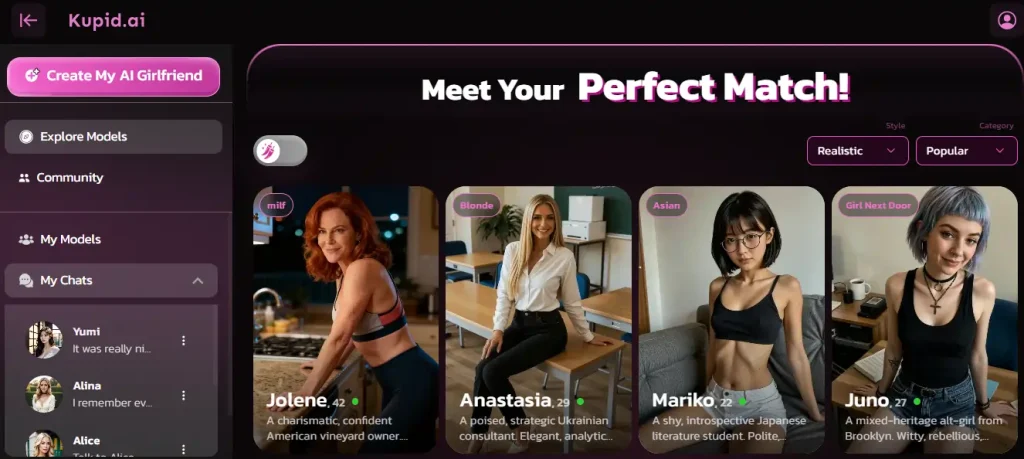
Sign up free, pick Realistic or Anime, then set her hair, eyes, body type and skin tone. Name her and pick her voice. Set her personality, job, relationship and interests from her profile.
Every choice can be changed later, so there's no wrong first attempt.
Before you start:
A few housekeeping points before you open the creator. None of this takes long.
Once you're in, you'll land on the character creator. That's where the real work starts.
You can jump straight into building from scratch, or browse the existing companion gallery first for ideas. Either route lands you in the same creator.

Choose her style
This is the first fork in the road, and it changes everything downstream. It's also your first real chance to design your dream girlfriend rather than settle for a preset.
Every hair option, outfit and face shape comes from a separate asset library depending on which you pick.
You'll choose between two styles.
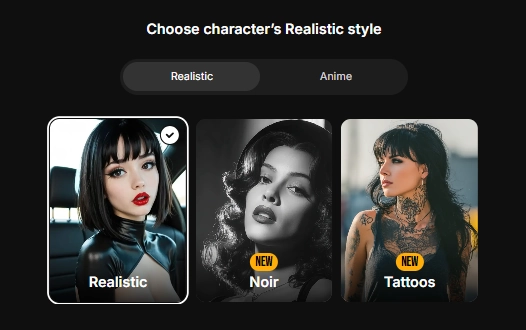
Realistic builds a companion who looks like a photo. Natural skin tones, real-world lighting, the kind of look you'd expect from a portrait shoot.
This is the better fit if you want something that feels like a realistic AI girlfriend in the truest sense.
Anime builds a companion in illustrated, stylised art. Bigger eyes, bolder colours, a more animated look.
Go this way if you're after an anime AI girlfriend with a fantasy edge rather than a photo-real one.
| Feature | Realistic | Anime |
|---|---|---|
| Look | Photo-style, natural lighting | Illustrated, stylised, bold colours |
| Best for | Guys who want something photo-real | Guys who want an animated, fantasy look |
| Asset library | Separate library built for realism | Separate library built for anime art |
| Switching later | Possible, but expect a new face | Possible, but expect a new face |
There's no wrong answer here. Pick whichever style you'll actually enjoy looking at every day.
Design her appearance
Once your style is locked in, you'll move into the appearance screen.
Getting her AI companion appearance right up front saves you redoing this step later.
This is where your custom AI girlfriend really starts taking shape. This part of AI girlfriend customisation is the one most guys spend the longest on, and for good reason.

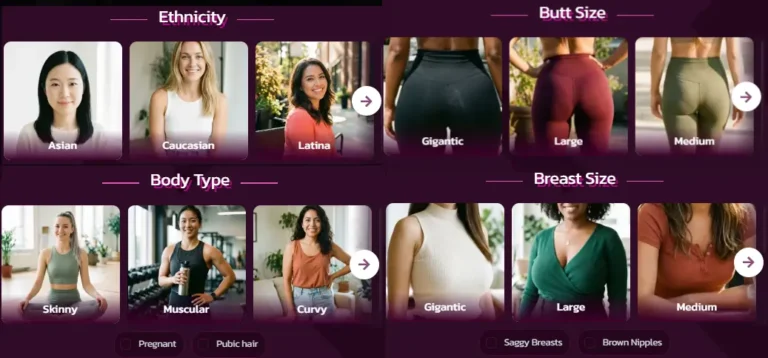
Here's what you'll set.
🎲 The dice trick. Every appearance screen has a randomise button. Tap it and Kupid AI rolls a complete look for you instantly.
It's a genuinely useful shortcut if you're not sure where to start. It's also handy if you just want inspiration to tweak, rather than building from a blank screen.
One tip is worth following. Don't just pick options in isolation.
Look at the full preview after each change. Hair colour that looks fine on its own can clash badly with a skin tone you picked two screens earlier.
It's also worth matching her outfit and pose to the mood you're going for. A casual, relaxed pose reads very differently to a posed studio shot.
Name and age
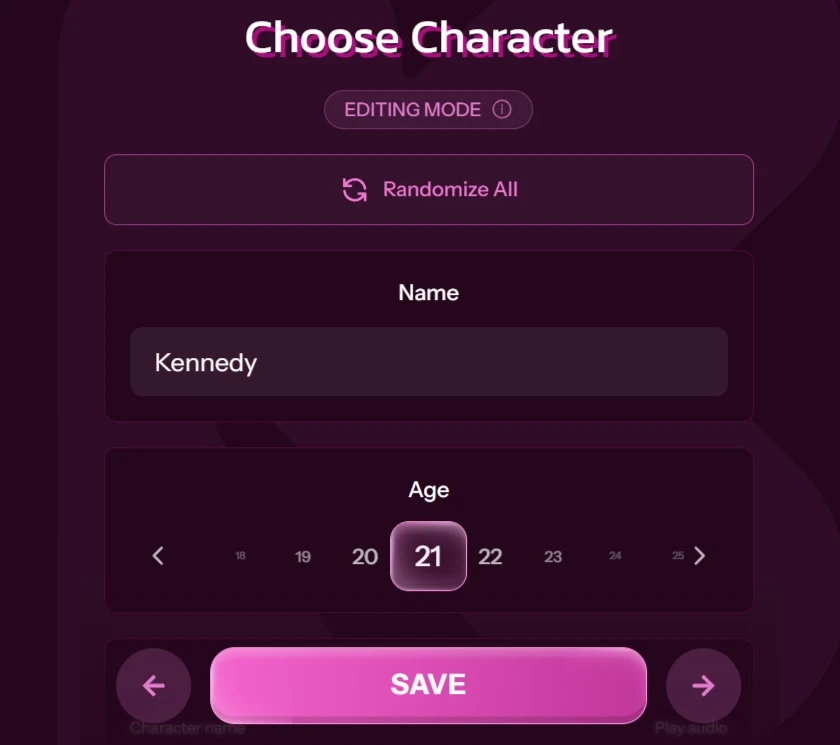
Short step, but don't skip past it too fast. This is the point where she stops being a template and starts being yours.
You'll type in a free-text name, so you're not limited to a preset list. A few tips that actually help later.
Age is set to 18 and above only, with no way around that. Kupid AI enforces this at creation, not just at sign-up.
Pick her voice
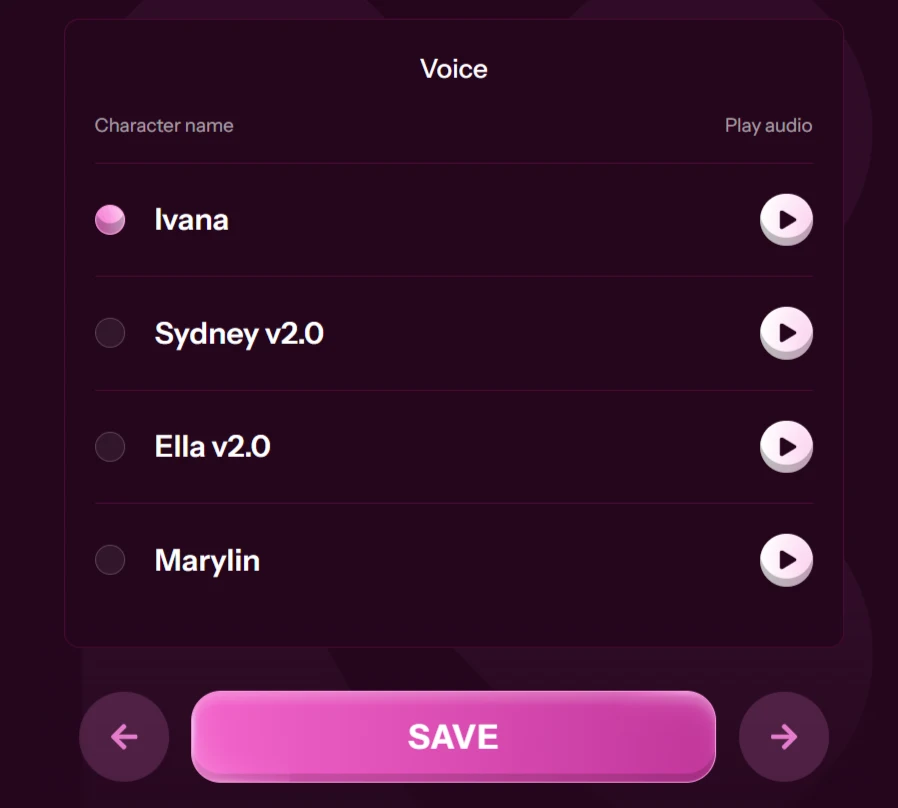
If you plan to use voice messages at all, this step deserves more attention than most guys give it. The voice you pick here is the one she'll use for every voice message going forward.
Kupid AI offers several named voices, including Ivana, Sydney, Ella and Marylin, each with a short audio preview you can play before committing.
Listen to more than one. Tone matters more than you'd think when you're building a realistic AI girlfriend experience.
Here's what to listen for.
Play the preview twice before deciding. It's easy to pick the first one you hear and regret it three chats later.
Voice messages usually sit behind a paid plan. If you're on the free tier for now, treat this step as planning ahead rather than wasted effort. The voice you lock in today carries over the moment you upgrade.
Set her personality
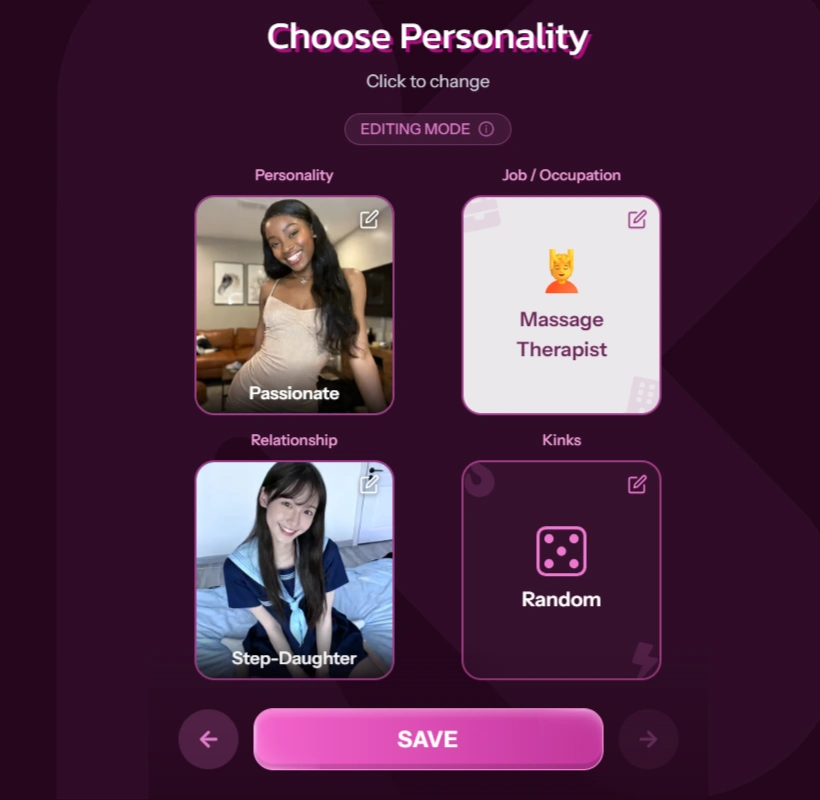
Looks get you in the door. Her AI girlfriend personality is what keeps you talking once the novelty of her appearance wears off.
Kupid AI gives you six named starting points, plus a way to write your own.
Here are the six archetypes.
| Archetype | Vibe |
|---|---|
| Dominant | Takes the lead, speaks with confidence, tells you what she wants |
| Submissive | Soft-spoken, eager to please, happy to follow your lead |
| Playful | Teasing, quick with a joke, keeps the mood light |
| Mysterious | Holds a little back, makes you work for the details |
| Sweet | Warm, affectionate, low on drama |
| Passionate | Expressive, intense, wears her feelings openly |
Pick the one closest to what you actually want, not what sounds fun on paper. A Dominant companion talks very differently to a Sweet one.
The custom free-text field is where things get interesting. This is your chance to write specific detail the presets can't cover.
Don't just write “nice and caring.” Give her something concrete, like a habit, a way of speaking, or a small quirk.
The more specific your input, the more consistent she'll feel over time. It's the one part of the creator that's genuinely worth a second draft.
A good custom entry might describe how she teases you, or a small detail like always asking about your day first. Vague input gets you a vague companion.
If you want better interactions, learning how to build rapport with an AI girlfriend
Choose her job and relationship
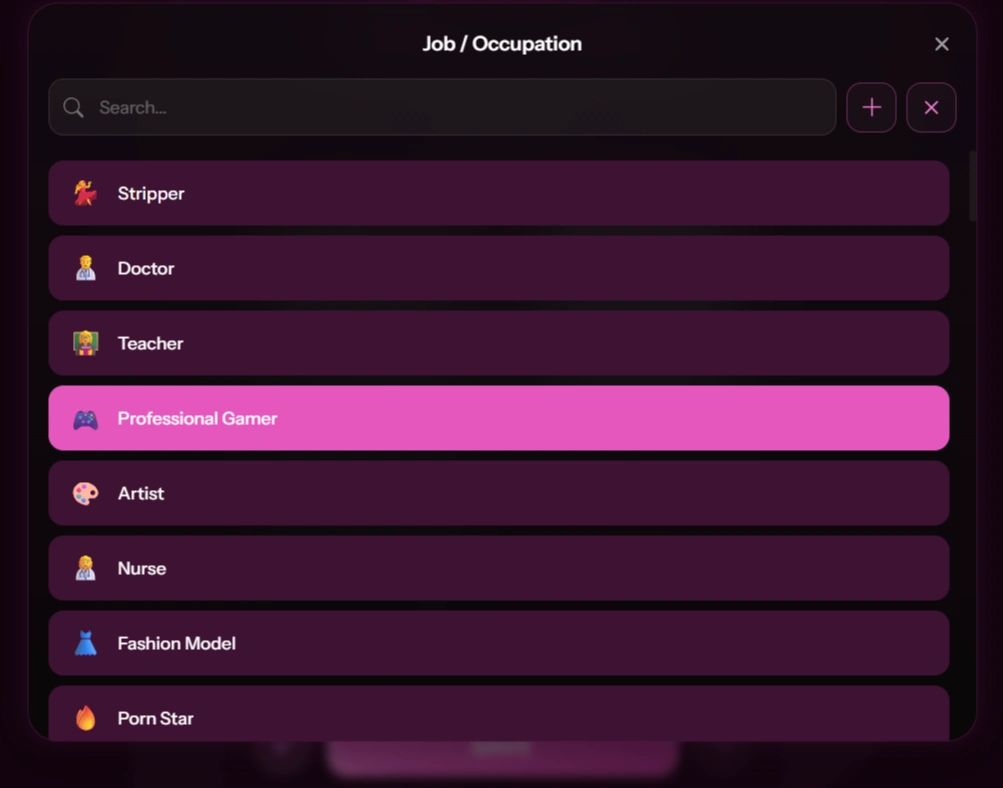
These two settings shape her backstory and the tone of your chats more than people expect. They're easy to skip past, and a mistake if you do.
Job. Kupid AI has a long, searchable list covering everything from doctor and teacher to artist, model, gamer and fashion influencer.
Her job feeds into what she talks about unprompted. A nurse might mention a rough shift. An artist might bring up a project she's stuck on.
Relationship to you. This sets the tone from the first message. Options include girlfriend, friend, crush, ex, neighbour, roommate and colleague.
Each one starts the chat in a different place. A “girlfriend” jumps straight into affection. A “crush” starts more tentative, with more building up to do.
Pairing job and relationship thoughtfully makes her feel like a person with a life. A gamer neighbour talks very differently to a doctor girlfriend, and that's exactly the point.
If you're not sure where to start, try matching the relationship to how much backstory you want. “Girlfriend” and “ex” both come with an implied history.
“Neighbour” or “colleague” start further back, so the relationship builds more gradually as you chat.
Set her interests
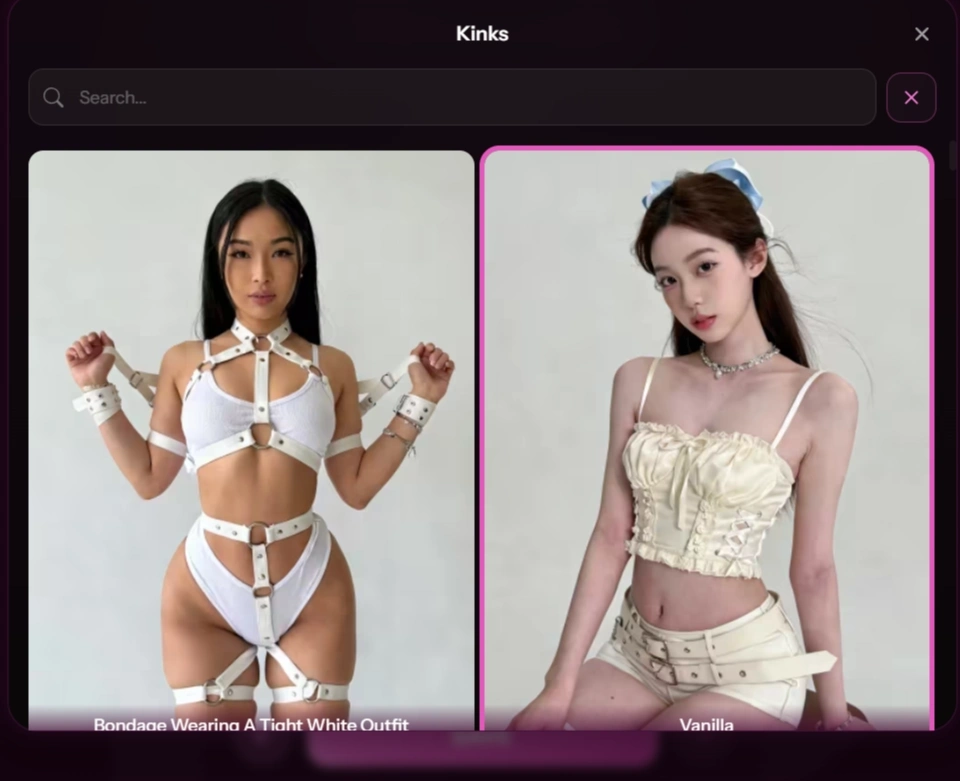
Interests round out the picture and give her more to talk about beyond your direct messages. You'll pick from a range of options, with a randomise button here too.
Keep this mature but simple. Think hobbies, taste in music, the kind of things she'd bring up if you asked about her weekend.
This is one of the areas where restraint pays off. A handful of well-chosen interests reads as more real than a long list that tries to cover everything.
Try picking interests that connect to her job or personality rather than random additions. A Playful, artist-type companion who lists painting and live music feels joined-up.
The same two interests attached to a Mysterious accountant feel bolted on. It's a small detail, but an easy way to make a character feel considered.
Editing later and building multiple companions
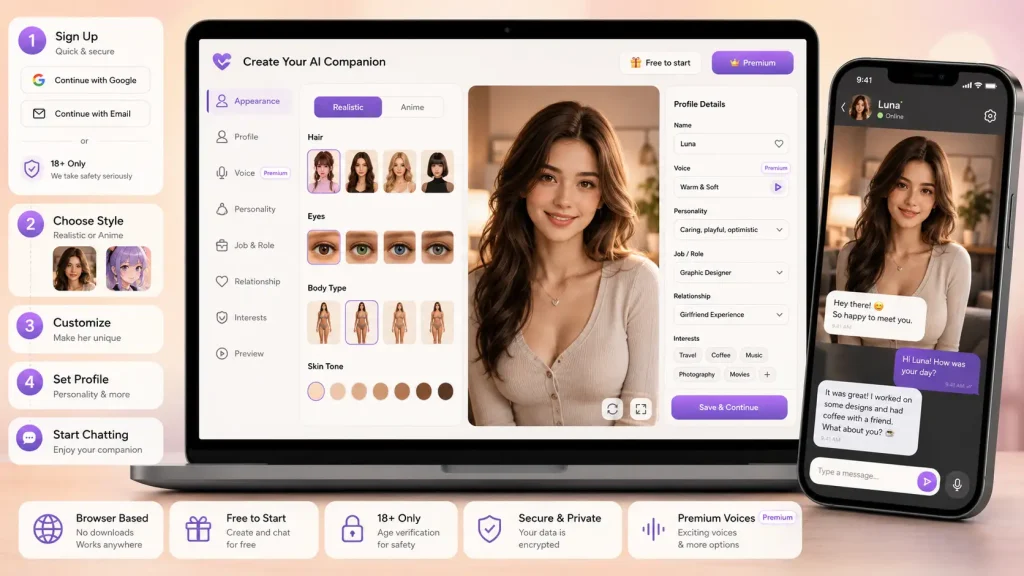
Nothing you set in the creator is permanent. Every choice, from her hairstyle down to her personality archetype, can be changed later from her profile page.
If a voice doesn't land the way you expected, swap it. If her personality feels flat after a week of chatting, adjust it.
Being able to personalise AI companion settings after the fact, rather than being locked into your first attempt, is one of the more useful things about how Kupid AI is built.
You're also not limited to one companion. You can build several, each with a different look, job and personality, and switch between them whenever you like.
Some guys build one companion and refine her endlessly. Others build a small roster for different moods. Both are completely normal ways to use the tool.
If you're exploring options, you can also check AI girlfriend alternatives
Pro tips to make her feel real
A few small habits separate a companion who feels generic from one who feels like yours.
If you're going deeper, understanding AI girlfriend memory
Common mistakes to avoid
A quick list of the traps most new users fall into.

If privacy matters, read about AI companion data privacy
FAQ's Related To Kupid AI Character Creation
Is the Kupid AI character creator free?
Yes. Building a companion, from style through to personality and interests, doesn't cost anything. Some ongoing features, like voice messages, sit behind a paid plan.
Can you change her personality later?
Yes. Every setting from the creator, including her personality archetype and custom description, can be edited from her profile at any time.
Can you have more than one AI girlfriend on Kupid AI?
Yes. You can build several companions and switch between them whenever you want. Some plans cap how many you can keep active at once.
Realistic or anime, which is better?
Neither is objectively better. It comes down to what you enjoy looking at. Realistic suits guys after a photo-style companion, anime suits guys after a stylised look.
Does the voice you pick actually matter?
More than most people expect going in. It's the voice used for every voice message she sends you, so it's worth comparing more than one preview.
Is there an age requirement to use Kupid AI?
Yes. Kupid AI is strictly 18 and over, both for users and for any companion you create.

More From OhGirlfriend
🎯 Final tips
Building a custom AI girlfriend on Kupid AI isn't complicated. The guys who end up happiest with the result are the ones who slow down on two steps, the custom personality field and the voice preview.
Everything else is easy to adjust later, so don't overthink your first attempt.
Build her, chat with her for a few days, then come back and refine what doesn't feel right. That second pass is usually where she starts to feel like yours.
Take your time with the character creator, and she'll feel like it.

Lucas – your go-to wingman in the world of AI girlfriends and virtual flings. From testing voice moans and NSFW chatbots to rating roleplay realism and emotional depth, he’s tried everything so you don’t have to. Whether you’re chasing a cute cuddle bot or a full-on spicy fantasy AI, Lucas gives you the no-filter lowdown on who’s worth your time (and your late nights).
Affiliate Disclosure: This post may contain some affiliate links, which means we may receive a commission if you purchase something that we recommend at no additional cost for you (none whatsoever!)