Sudowrite Describe: Write Love Scenes That Actually Sizzle
Writing better love scenes with AI is something a lot of romance authors are quietly doing, but nobody wants to admit it out loud. 😅
I write romance novels. I've done it for years. And still, every single time I hit an intimate scene, I freeze up.
It's not that I don't know what happens. It's that I can't find the words. The right tension. The heat that makes a reader fan themselves and flip the page faster.
That's where Sudowrite's Describe feature walked into my life and honestly? Changed things a bit.
This guide is for romance writers, erotica authors, and anyone who wants their love scenes to feel raw, real, and emotionally charged, not like a badly written bodice-ripper from 1987.
🧠 Why Writing Love Scenes Is Harder Than Most Writers Expect

Most writing guides skip this part. They just throw tips at you without acknowledging why intimate scenes in fiction are genuinely difficult.
Here's the truth:
Romance writing and intimacy in fiction require a specific kind of vulnerability. You're not just describing two people touching. You're describing desire, fear, relief, power, surrender. Sometimes all in the same paragraph.
That's a lot to ask of a blank page.
😉 What Is Sudowrite Describe and How Does It Improve Love Scenes
Sudowrite is an AI writing tool built specifically for fiction. Not for emails, not for blog posts. For actual storytelling.
The Describe feature is one of its most powerful tools. You highlight a passage and ask it to describe something through one of five senses:
It then generates rich, layered sensory description that you can drop straight into your scene.
For romance writing, this is huge. Because love scenes live and die on physical sensation. Not just what is happening, but how it feels in the body.
What most articles don't tell you: Describe doesn't just write purple prose. It matches your existing tone. If your novel is slow-burn literary romance, it won't suddenly sound like a Harlequin quickie. That context-awareness is what sets it apart.
💖 The Real Problem with Generic AI Writing for Romance
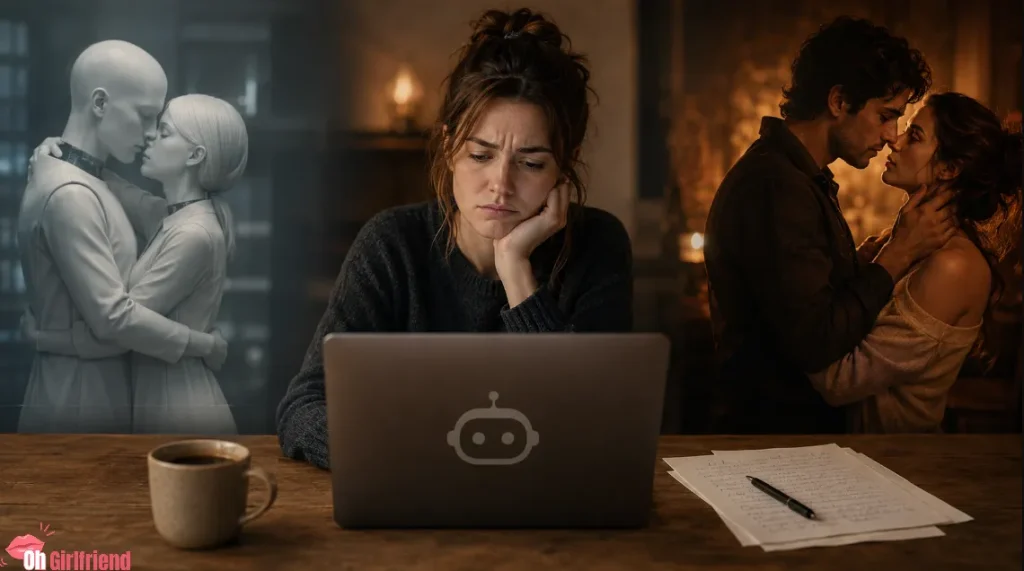
You've probably tried ChatGPT for a love scene. Or some random AI story generator.
And got something that sounded like… a robot describing a hug. 🤖
Generic AI writing tools are trained broadly. They're cautious. They flatten everything. And romantic tension, sexual chemistry in fiction, and emotionally charged intimacy are exactly the things that get softened or sanitised.
Sudowrite is different because it was built by writers, for writers. The founders Amit Gupta and James Yu are writers themselves. The tool is designed to stay in your voice, not replace it.
That matters enormously when you're writing a scene where desire, body language, and emotional subtext all need to land at the same time.
🤔 How to Use Sudowrite Describe for Love Scenes Step-by-Step
Let's get practical. Here's exactly how to use it. 🔥
Step 1: Write Your Scene Skeleton First
Don't start with Describe. Start with a rough draft of the scene in plain language.
Write what happens. Don't worry about how it sounds yet.
Example skeleton:
She kissed him. He pulled her closer. The room felt charged. Neither of them spoke.
That's enough. You've got your moment. Now you need the flesh on it.
Step 2: Highlight the Moment You Want to Expand
In Sudowrite, highlight the sentence or passage that needs sensory depth.
Say you highlight: She kissed him.
Now click Describe from the toolbar.
Step 3: Choose Your Sense
Pick the sense that's most relevant to the moment.
For romantic and erotic writing, these work particularly well:
| Sense | Best Used For |
|---|---|
| Touch | Physical intimacy, skin, warmth, pressure |
| Smell | Emotional memory, desire, character chemistry |
| Taste | Kisses, closeness, hunger and longing |
| Sound | Breath, voice, environmental tension |
| Sight | Body language, facial expressions, lighting |
For a kiss? Start with Taste or Touch. For a slow-burn scene where tension is building? Try Smell or Sound.
Step 4: Review the Options (Don't Just Take the First One)
Sudowrite gives you multiple variations. This is important.
Don't automatically grab the first result. Read all of them. Sometimes the third option has one line that's absolutely perfect, and the rest is so-so.
Your job is to curate, not just copy-paste.
Real talk: About 30-40% of what Sudowrite generates will feel slightly off. Too flowery, or too blunt, or just not quite your character's energy. That's normal. You're not looking for perfection. You're looking for a spark that you can shape.
Step 5: Blend It Into Your Voice
Take the bits that work. Cut the rest. Rewrite any sentence that sounds like it could belong to any romance novel, not yours.
AI-assisted romance writing is exactly that. Assisted. You're still the author.
The goal is to get out of your own head, past the blank-page paralysis, and onto the page.
😎 Best Sudowrite Prompts for Writing Romantic Scenes
Here are some prompts and approaches that get genuinely useful results from Sudowrite Describe. These are the types of scenarios where it shines. ✍️
For a first kiss scene:
Highlight the moment of contact. Choose Taste. Ask for three variations. Look for the one that captures hesitation turning into hunger.For a slow-burn tension scene:
Highlight the moment two characters are close but not touching. Choose Sound or Smell. You want the description of what's unsaid to come through in the physical detail.For a post-intimacy scene:
Highlight the aftermath. Choose Touch. You want warmth, weight, skin temperature. The kind of detail that makes readers feel the emotional vulnerability of after.For an emotionally charged love scene:
Highlight the moment a character notices something specific about their love interest. Choose Sight. Focus on the small, telling detail that says everything without stating it.👀 What Sudowrite Describe Does Really Well
Let's be fair and specific here.
What It Doesn't Do (Honest Bit 🙃)
No tool is perfect. And anyone who tells you AI will write your love scenes for you is selling something.
Here's what Sudowrite Describe won't do:
🤞 How Sudowrite Supports Romance Writing From Start to Finish
Describe is just one feature. Here's how the full tool supports romantic fiction writing from start to finish:
Story Bible
Build your characters, world, and outline before you write a word. For romance, this means locking in your chemistry dynamic, your emotional wounds, your black moment. All the good stuff.
Write Feature
Like autocomplete that's read your whole manuscript. It suggests the next 300 words in your voice. Brilliant for getting scenes moving when you're stuck.
Expand
You've written a scene that's too short and too rushed. Expand fills it out. For love scenes and intimacy, this is gold. Slow it down. Let the reader breathe inside the moment.
Rewrite
You've got a sentence that's almost right. Rewrite lets you try it ten different ways without having to think of the options yourself.
Feedback
Three actionable notes on your draft. No ego, no feelings. Just honest craft feedback. For romance writers who don't have beta readers yet, this is genuinely useful.
💕 How Writers Feel About AI-Assisted Love Scene Writing
Here's something no other article will say.
Using AI for love scenes feels weird at first.
There's this voice in your head saying: if I can't write this myself, am I even a real romance author?
That voice is lying to you.
Every writer uses tools. Thesauruses. Sensitivity readers. Beta readers. Writing groups. Craft books. Plot structure frameworks. These are all outside tools helping you write better.
Sudowrite is just a newer, faster version of that.
What it does is remove the shame and self-consciousness. You're not staring at a blank page thinking about how weird it is to write about desire. You're working with a tool that generates options, and you're picking the ones that feel right.
That's craft. That's authorship. Don't let anyone tell you differently.
🆚 Sudowrite vs Other AI Tools for Fiction Writers
A lot of writers ask: why not just use ChatGPT or Claude for love scenes?
Here's the honest comparison:
| Feature | Sudowrite Describe | ChatGPT | Claude |
|---|---|---|---|
| Built for fiction | ✅ Yes | ❌ No | ❌ No |
| Sensory-specific prompts | ✅ Yes | ❌ Manual only | ❌ Manual only |
| Tone matching | ✅ Strong | ⚠️ Variable | ⚠️ Variable |
| Intimacy comfort level | ⚠️ Sensual to moderate | ⚠️ Very restricted | ⚠️ Restricted |
| Writer-specific workflow | ✅ Full suite | ❌ No | ❌ No |
| Context from manuscript | ✅ Yes | ❌ Limited | ⚠️ Partial |
For romance authors specifically, Sudowrite wins on workflow and integration. It's not perfect for extremely explicit content, but for emotional intimacy, slow burn, and sensual fiction, it's genuinely ahead.
💰 Sudowrite Pricing Guide for Romance Writers
Let's talk money. Because tools are only useful if they're accessible.
| Plan | Monthly Price | Credits | Best For |
|---|---|---|---|
| Hobby & Student | $10/month (approx) | 225,000/month | Casual romance writers, short stories |
| Professional | $22/month (approx) | 450,000/month | Novel-length romance manuscripts |
| Max | $44/month (approx) | 2,000,000/month | Prolific authors, series writers |
There's a free trial with no credit card needed. For anyone testing whether AI can actually improve their intimate scene writing, that's a no-risk entry point.
Realistic expectation: You'll probably get the most value out of the Professional plan if you're working on a full romance novel. The Hobby plan is fine for short stories or testing the waters.
⚙ Real Benefits Writers Notice With AI Scene Tools
Here's what actually shifts for romance writers who use it regularly.
You stop avoiding the hard scenes. The ones that require emotional exposure. Because you've got a collaborator. You're not alone with the blank page and your own awkward feelings about writing desire.
Your descriptions get more specific. Generic AI gives you generic results. But when you learn to highlight the exact moment and choose the exact sense, the output gets sharper. And that teaches you to think more precisely about your own writing.
You write more. This sounds obvious but it's true. When the scary scenes stop being scary, you write through them instead of around them. Your word count goes up. Your scenes get better.
You edit more ruthlessly. Because you've got options, you stop settling. You know there's a better version of that sentence out there. Sudowrite helps you find it faster.
🙌 Expert Tips for Using Sudowrite Effectively
These are things I wish someone had told me when I started using it. 👇
- Give it context before you highlight. The more your document has about the characters and their relationship, the better the output. Don't use Describe on an isolated paragraph. Let the AI see the full scene.
- Use multiple senses in the same scene. Don't just go for Touch every time. Layer in Sound or Smell for depth. A love scene that works through three senses simultaneously hits harder.
- Read the output out loud. If it doesn't sound like something a human would think or feel, cut it. AI sometimes generates beautiful-looking sentences that are emotionally hollow. Your ear will catch it.
- Save the variations you don't use. Sometimes a rejected Describe output is perfect for a different scene later in the book. Keep a swipe file.
- Use Expand after Describe. Once you've got a strong sensory description, use Expand to slow the scene down further. Let the reader sit inside that moment.
- Combine with Rewrite for polish. Got a sentence that's 80% there? Rewrite will help you find the remaining 20%.
😐 Common AI Writing Mistakes Romance Authors Make
Because knowing what not to do is just as useful. 🚫
Mistake 1: Taking everything the AI gives you
The output is a starting point, not a finished product. Edit aggressively.
Mistake 2: Using Describe too early
Don't reach for it before you've written the scene skeleton. You need context. Otherwise you get generic description that fits any scene and none of them.
Mistake 3: Ignoring emotional subtext
Describe handles physical sensation brilliantly. Emotional depth is still mostly your job. Don't let the physical description do all the work.
Mistake 4: Over-describing
Just because you can generate three paragraphs of sensory detail doesn't mean you should use all three. Romance pacing is about restraint as much as it is about lushness.
Mistake 5: Not adapting to your genre heat level
A sweet romance and a dark romance have very different intimacy expectations. Steer the tool toward your specific genre. Don't accept output that doesn't match your readers' expectations.
✍ Who Should Use Sudowrite Describe for Writing
Let's be straight about this.
It's for you if
It might not be for you if

More From OhGirlfriend
🎯 Should Romance Writers Use Sudowrite in 2026
Here's the honest answer. Yes, with realistic expectations.
Sudowrite Describe will not write your love scenes for you. It won't replace the emotional intelligence you bring to your characters or the specific chemistry that makes your couple yours.
What it will do is get you past the blank page faster, give you richer sensory options, and help you stop avoiding the scenes that require the most vulnerability.
For romance writers who freeze up at intimate scenes, for anyone who's rewritten the same paragraph twenty times and still hates it, for the author who knows the scene needs more heat but can't figure out how to add it without it sounding ridiculous, Sudowrite Describe is a genuinely useful tool. 🔥
It's not magic. It's craft assistance. And used properly, it can make the difference between a love scene that readers skim and one they remember.
That's worth ten quid a month, honestly.

Lucas – your go-to wingman in the world of AI girlfriends and virtual flings. From testing voice moans and NSFW chatbots to rating roleplay realism and emotional depth, he’s tried everything so you don’t have to. Whether you’re chasing a cute cuddle bot or a full-on spicy fantasy AI, Lucas gives you the no-filter lowdown on who’s worth your time (and your late nights).
Affiliate Disclosure: This post may contain some affiliate links, which means we may receive a commission if you purchase something that we recommend at no additional cost for you (none whatsoever!)