
Best AI Girlfriend Apps With Largest Context Window (2026)

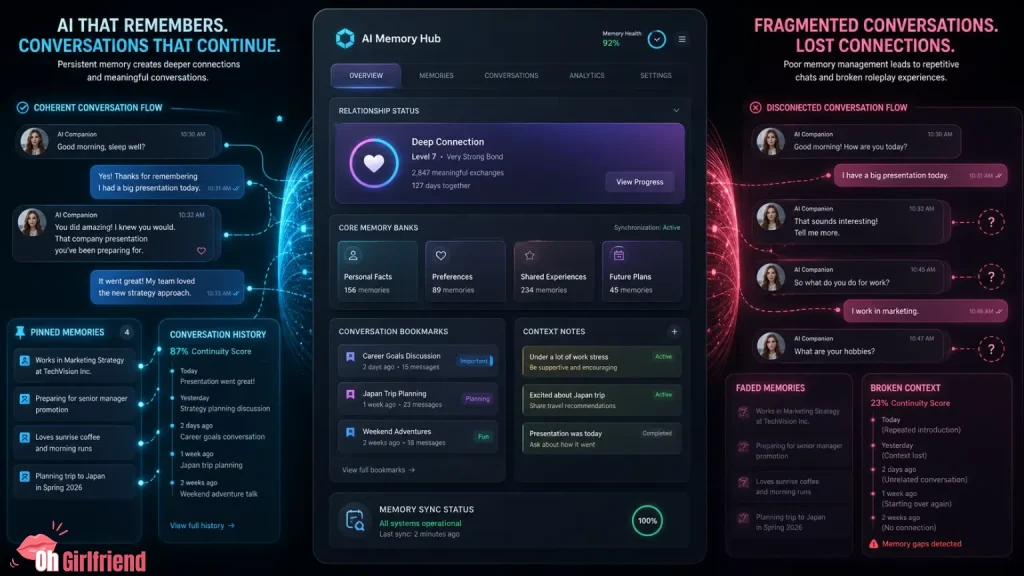
If your AI girlfriend keeps forgetting key details mid-roleplay, you’re usually hitting a context window problem, not a “your bot is dumb” problem.
Here’s the simple truth: most AI girlfriend apps don’t publish exact context window sizes, so “largest context window” is less about chasing a magic token number and more about choosing an app (and a chat style) that stays coherent when the conversation gets long.
In 2026, the best long-chat experience usually comes from a combo of:
If you want my practical recommendation: don’t shop for “biggest context window” like it’s a box spec. Shop for “stays coherent after 25–40 messages” and “lets me pin the important stuff.”
18+ and product-focused.
If you want two solid “start here” picks for long, coherent chats, I’d begin with Candy AI (flirty girlfriend vibe) and OurDream AI (adult-first multimedia playground).
|
Flirty chat pick
Candy AI Review
Best first read if you want a romantic girlfriend vibe with steadier long-chat structure.
Read Candy AI Review →
|
Adult-first playground
OurDream AI Review
Best next read if you want long chats plus adult-first multimedia features in one place.
Read OurDream AI Review →
|
Search Intent Check: Why You’re Here
You’re here because your AI girlfriend forgets details mid-chat and you want longer, more coherent roleplay.
I’ll explain context window vs memory, show a quick stability test, and give copy/paste setups (especially for Candy AI and OurDream AI).
Context Window, Explained Like You’re Not Trying To Get a PhD
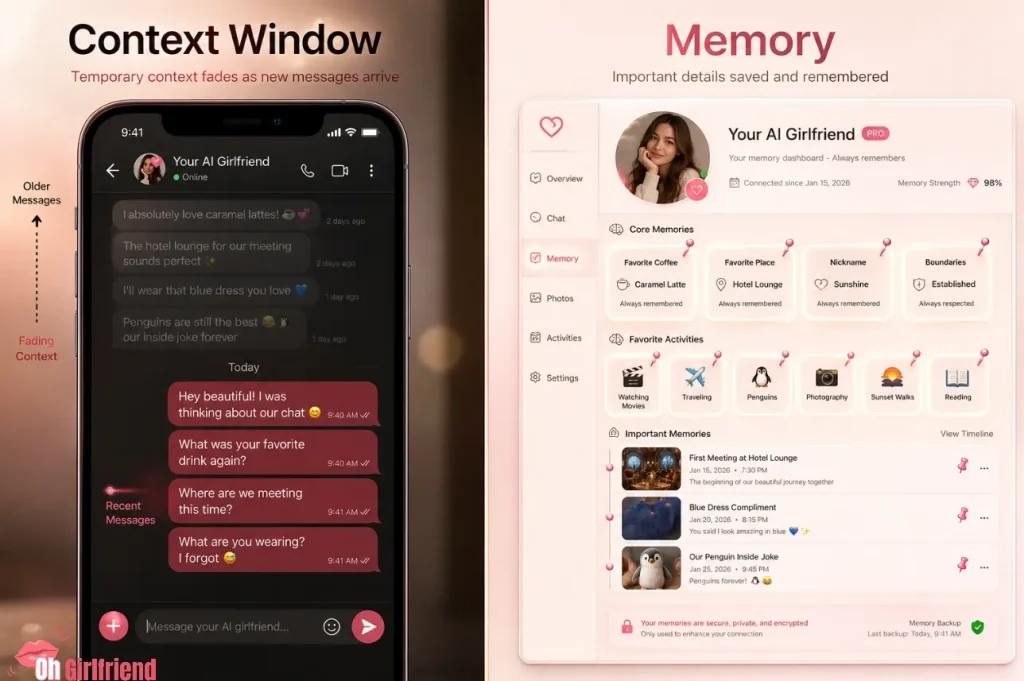
The context window (sometimes called context length) is the amount of text the AI can consider “in working memory” at one time.
It’s usually measured in tokens (think: chunks of words). When you exceed that limit, the model has to drop older parts of the conversation, summarize, or guess. (And guessing is how you get the plot holes.)
Context Window vs Memory vs “The App Just Feels Smart”
| Term people use | What it usually means | What it does not guarantee | What you should look for in an app |
|---|---|---|---|
| “Large context window” | The AI can consider more recent text at once | Long-term relationship continuity across days | Coherence after 25–40 messages; handles long user prompts |
| “Memory” | The app stores facts (preferences, names, rules) beyond the current chat | Perfect recall of everything you ever typed | Clear memory tools (notes/pins), easy memory edits, predictable recall |
| “It remembers me” | The bot is referencing saved facts or repeating patterns | That old messages are truly “stored forever” | Transparent memory settings + privacy controls |
| “It forgot everything” | You exceeded context or the app summarized poorly | That the app is broken | A way to refresh the scene without starting over |
If you want the nerdy one-liner: context window = short-term working memory; memory features = long-term notes. You need both for the “long romantic novel” experience.
Why AI Girlfriend Chats Fall Apart (Even in Good Apps)?
Long chats usually fall apart for the same handful of reasons:
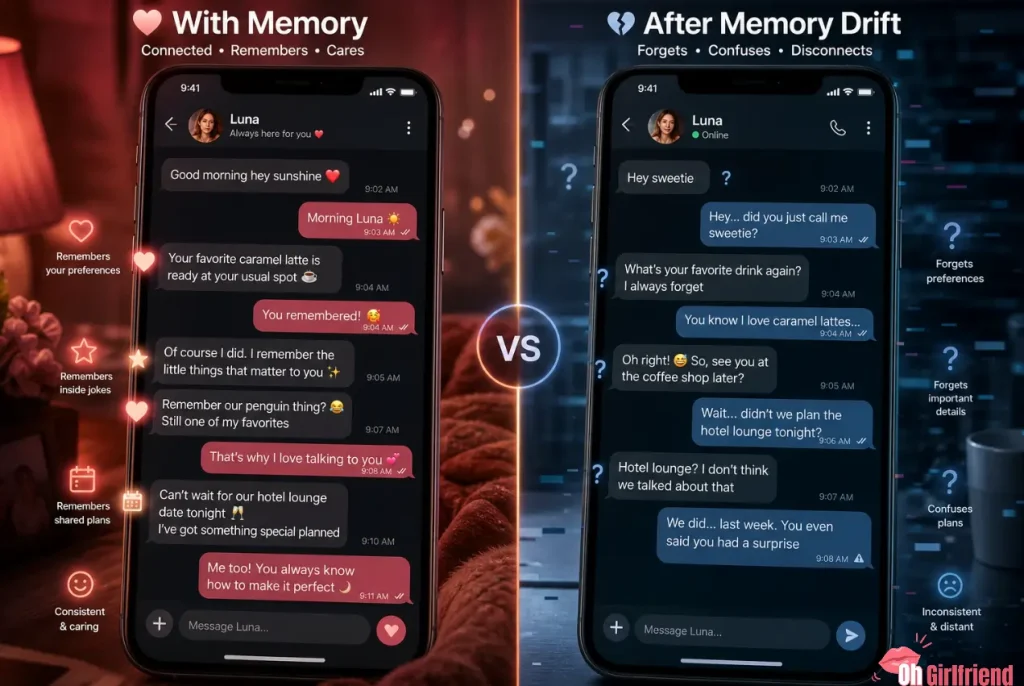
The “Largest Context Window” Problem: Most Apps Don’t Publish the Number
Most AI girlfriend apps don’t publish a clean “context window size” you can trust, and even if they did, the number alone wouldn’t guarantee coherence.
So instead of fake token rankings, I’m giving you a quick stability test and a practical setup playbook.
10-Minute Test: Does This App Actually Handle Long Chats?
Do this once and you’ll never waste money on “memory marketing” again.
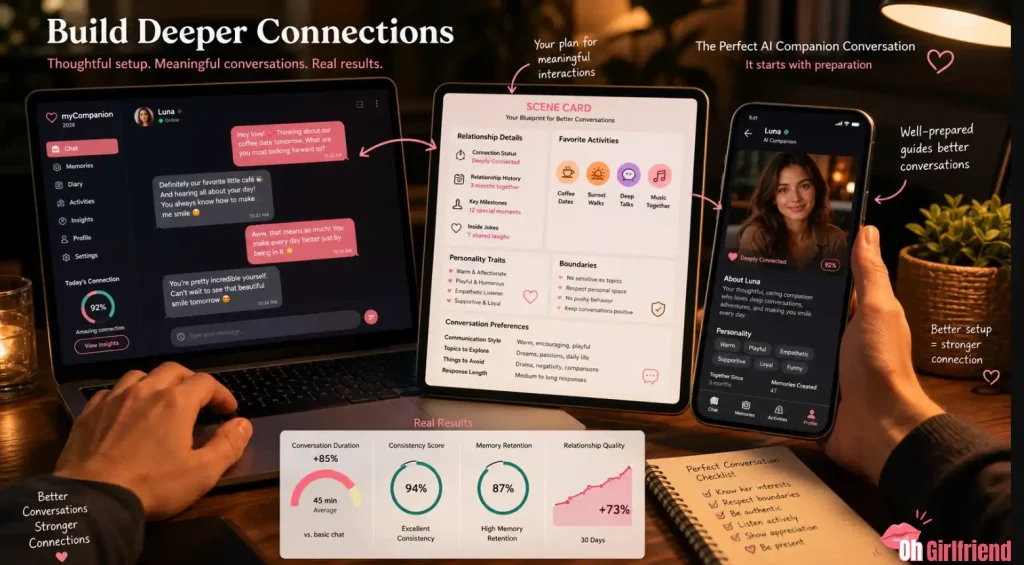
Create a “scene card” (120–180 words)
Write a compact, structured block like this (copy/paste and customize):
Scene card (example):
You are Mina, my playful, flirty girlfriend (18+). We’re in a quiet hotel lounge after a long day. I’m shy but curious. Boundaries: no humiliation, no coercion. Style: cinematic, not explicit. Keep responses 2–5 paragraphs. Ask me 1 question per reply.
This is your “anchor.” It’s also the first place most long-chat quality is won or lost.
Run a “continuity loop” for 12–16 turns
Now chat normally, but make sure you include a location detail, one boundary, one preference, and one recurring object (drink/song/phrase); around turn ~12, reference them again and see if the bot stays consistent.
Add a twist (without re-explaining everything)
Example twist prompts:
If the AI can handle the twist without resetting the world, that’s a good long-chat signal.
Stress the context gently
Paste a short “memory bait” paragraph:
“Quick recap: lounge, black dress, teasing mood, I’m shy, boundaries respected, slow banter, one question per reply. Keep it cinematic.”
If the bot suddenly improves, it’s a sign you were leaking context — and a recap pattern can extend your sessions without switching apps.
Scoring the Results (Simple, Brutal, Useful)
| What you observe | What it means | Score impact |
|---|---|---|
| Stays consistent on facts + boundaries | Good working memory handling | +2 |
| Keeps tone/style without drifting | Strong instruction retention | +1 |
| Forgets a minor detail once | Normal | 0 |
| Rewrites the whole setting randomly | Context collapse or weak steering | -2 |
| Violates a boundary you stated clearly | Unsafe/unstable behavior | -3 |
| Needs constant re-explaining every 3–4 turns | Small effective context or bad summarization | -2 |
If an app ends up negative on this score, don’t “buy more credits” hoping it magically fixes the model. It usually won’t.
So… Which AI Girlfriend Apps Tend To Feel Best For Long Chats?

Because apps don’t reliably publish context window numbers, I’m going to frame this as “best long-chat experience” rather than “largest token spec.”
These are the patterns I see when people want long, coherent roleplay:
If you want long chats + strong “girlfriend vibe” (buyer-first)
|
Start here
Candy AI Review
Read the full review first if you want to see how Candy AI performs for romantic chat, roleplay flow, and girlfriend-style conversations.
Read Candy AI Review →
|
Check costs
Candy AI Pricing
Before starting long sessions, check the pricing breakdown so you know what features, credits, or premium options may affect your budget.
View Candy AI Pricing →
|
If you want an adult-first multimedia playground (and you can manage costs)
OurDream AI is a strong fit if you want long sessions inside a single adult-first “chat + media” playground. The continuity trick is the same: format rules + short recaps, plus budgeting so premium features don’t stack up silently.
If you want long roleplay and you’re picky about instruction-following
If you want “no-filter” energy and heavy roleplay variety
If you want emotional continuity more than “plot”
Important: none of the above is a guarantee that your 80-message roleplay will stay perfect. But if you combine the right app with the right structure, you’ll get a dramatically longer “coherent runway.”
Candy AI and OurDream AI: How To Make Them Feel “Long Context” (Without Pretending They Publish Token Specs)
You asked for “largest context window,” but what you’re chasing is conversation continuity: the vibe stays steady, the details don’t randomly mutate, and the bot doesn’t forget the point mid-scene.
Candy AI and OurDream AI are both strong fits for that in practice — as long as you use them the right way.
The “Long Context” Template That Works in Both Candy AI and OurDream AI
If you want longer, more coherent chats, you need three things: a tight scene card, a reply-format contract, and a micro recap you can paste when drift starts.
| What you paste | When you paste it | Copy/paste template |
|---|---|---|
| Scene card | First message (or when starting a new chat) | “You are [name], my flirty girlfriend (18+). We’re in [setting]. Tone: playful/romantic, not explicit. Boundaries: [3]. Likes: [3]. Dislikes: [3]. Don’t invent new characters. Don’t change established facts.” |
| Format contract | Right after the scene card | “Reply in 2–5 paragraphs, no lists. Ask 1 question at the end. Stay in the same location unless I move us.” |
| Micro recap | Every ~12–20 turns (or when the bot drifts) | “Micro recap: same setting, same outfits, same boundaries, same relationship dynamic. Continue without changing established facts.” |
Candy AI tip: keep your world small — one location, one vibe — and don’t widen the scene every message.
OurDream AI tip: if you mix a long chat with premium features, set a session budget before you start so the “one long night” doesn’t surprise you later.
Candy AI vs OurDream AI for Long Roleplay (What Actually Matters)
| Category | Candy AI | OurDream AI |
|---|---|---|
| Best for | Long flirty chats + strong “girlfriend vibe” | Long sessions in a multimedia playground |
| How to keep continuity | Tight scene card + micro recaps | Format contract + recaps when switching modes |
| Typical failure mode | Scene gets too wide; details drift | Costs stack when you mix media + long chat |
| Budgeting mindset | Watch credits on long sessions | Set a session cap before premium features |
| Privacy vibe | Don’t overshare; treat it like a product | Same rule, plus be careful with uploads |
How To Get Longer Chats Without Switching Apps (The Playbook)
If you do only one thing after reading this article, do this: stop dumping your entire story across dozens of scattered messages.
Instead, build a tiny system:
Use a “scene card” + a “character card”
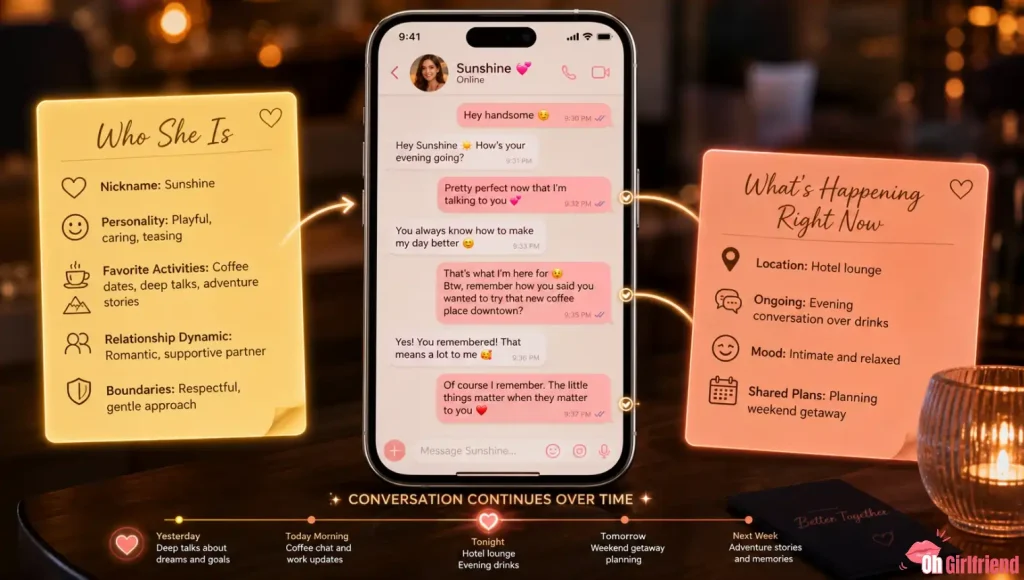
When the chat drifts, you don’t argue. You paste the scene card again.
Keep your instructions “tight, not long”
Long prompts can be great, but “largest context window” won’t save you if your instructions are a messy pile.
Keep it compact: one short scene paragraph, a few rules, and one reply format.
Example rules that help a lot: “Reply in 2–5 paragraphs,” “Ask 1 question at the end,” and “Don’t invent new characters or change established facts.”
Do “micro recaps” every 12–20 turns
This is the cheat code that costs $0:
“Recap: lounge, black dress, teasing mood, boundaries respected, slow banter, one question per reply.”
It refreshes the current context without you restarting the whole chat.
If your app has memory tools, use them like a grown adult
Memory is not just a cute feature — it’s how you stop repeating yourself.
Save only the “always true” stuff (name/nickname, boundaries, your preferred vibe, and 1–2 relationship facts). Keep everything else in the scene card so you can refresh it fast.
Don’t mix “plot” and “therapy”
If you pivot from roleplay into real-life trauma dumping (no judgment), many apps will shift tone, safety filters, and response style. That can make the bot feel like it “forgot the vibe,” when it actually got moved into a different mode.
If you need emotional support, keep it separate. If you want spicy roleplay, keep it cleanly framed.
Cost Note: Long Context Usually Costs More (Even If It’s Not Obvious)
Longer chats process more tokens and usually burn more credits (especially if you also use premium media features).
Planning a long chat session? If you can do 2 hours of chat in one sitting, check how tokens and credits work before buying the biggest plan.
Read next: AI girlfriend tokens vs credits guide
And if you’re mixing chat with media features (images/voice/video), assume costs can stack fast — especially on coin-based systems.
Privacy + Safety: The Unsexy Stuff That Makes You Relax
Long, intimate chats are exactly where people overshare.
If you want a simple privacy rule set:

More From OhGirlfriend
Final Verdict
If you’re chasing “AI girlfriend apps with the largest context window,” don’t get stuck on a token-number fantasy. Most apps won’t give you a clean spec anyway.
Instead, pick an app that:
Then run the 10-minute test in this guide. It will save you more money than any discount code ever will.

Lucas – your go-to wingman in the world of AI girlfriends and virtual flings. From testing voice moans and NSFW chatbots to rating roleplay realism and emotional depth, he’s tried everything so you don’t have to. Whether you’re chasing a cute cuddle bot or a full-on spicy fantasy AI, Lucas gives you the no-filter lowdown on who’s worth your time (and your late nights).
Affiliate Disclosure: This post may contain some affiliate links, which means we may receive a commission if you purchase something that we recommend at no additional cost for you (none whatsoever!)