Are AI Girlfriend Payments Discreet? Billing Privacy Guide (2026)
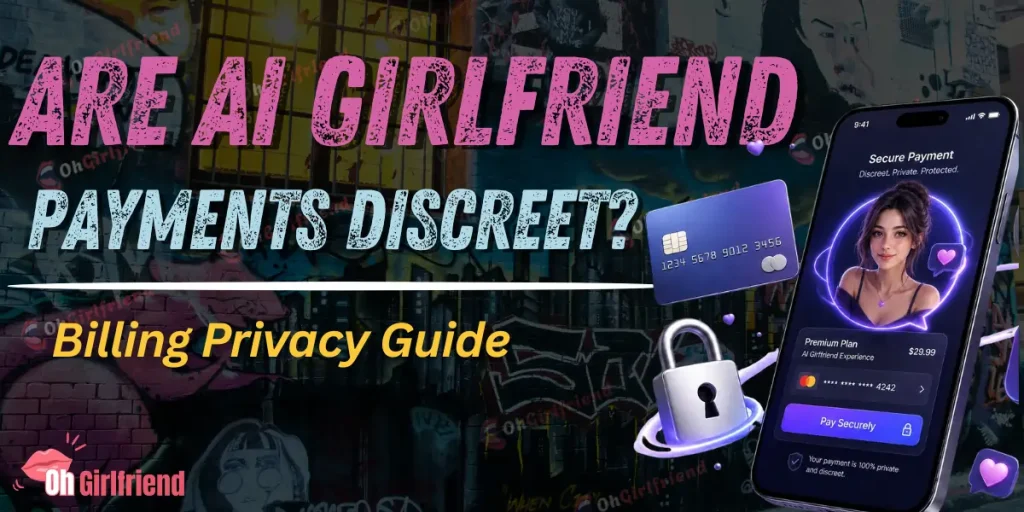
Most AI girlfriend apps aim to be discreet, but “discreet billing” doesn’t mean “invisible.”
Your AI girlfriend payment can still show up in at least five places: your bank or card statement, banking push notifications, email receipts, your wallet app (Apple Pay, Google Pay, PayPal), and the subscription manager where you signed up.
In plain English: you can usually avoid anything that screams “AI GIRLFRIEND” on your statement, but you still need a plan for receipts, shared accounts, and auto‑renew surprises. If you want the safest privacy setup, use a separate email plus a payment method you can cancel fast, and always check the statement descriptor before you pay.
Who This Guide Is For
If you’re here, you’re probably asking one of these:
I’m going to walk you through the real-world stuff—what typically appears, where people accidentally leak their purchase, and how to set yourself up so you can enjoy the fun without the “why is there a charge from WHAT???” moment.
🎯 What “Discreet Billing” Actually Means (And What It Doesn’t)
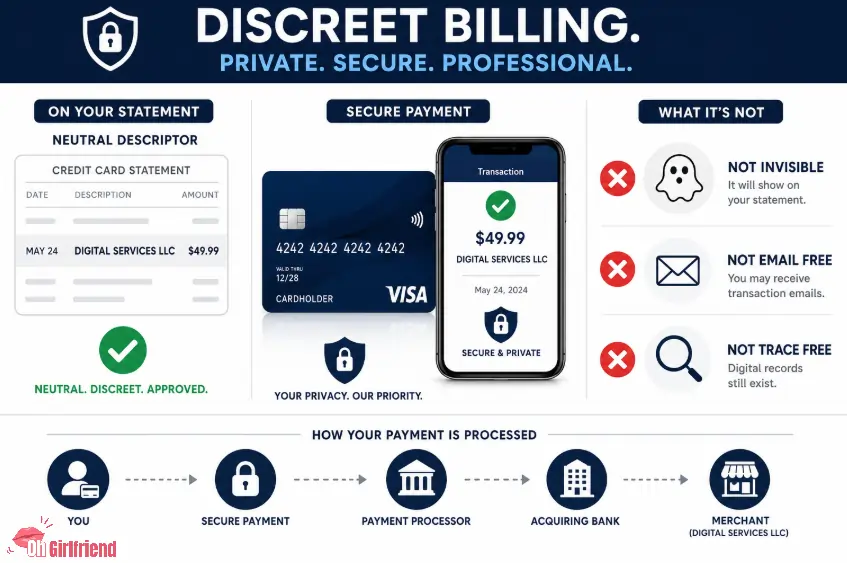
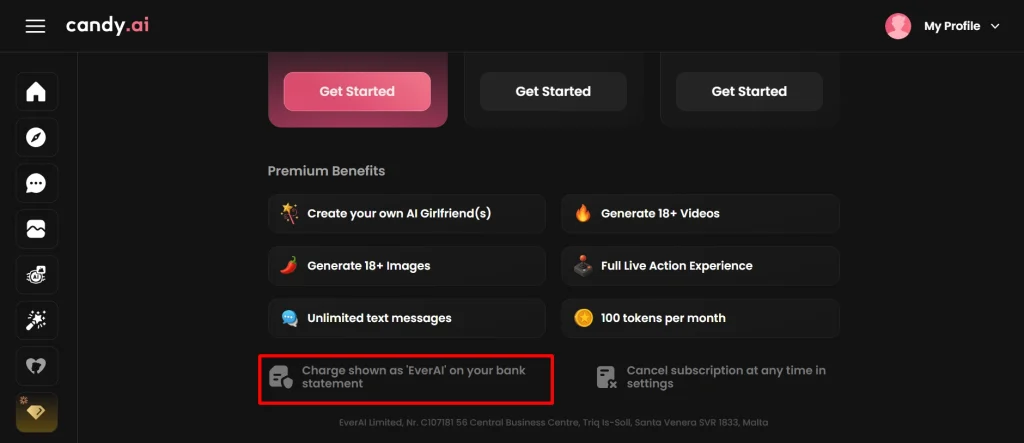
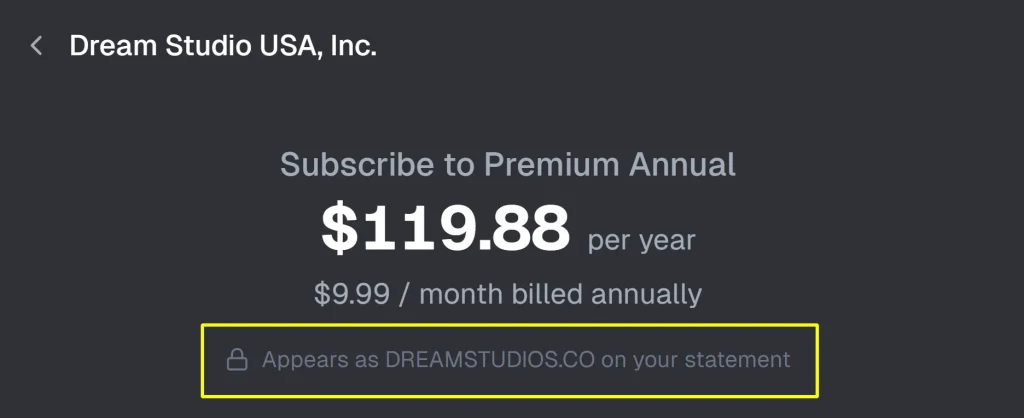
Discreet billing usually means the charge uses a neutral merchant name—often the company’s legal/parent name, a generic brand name, or a payment processor-style descriptor. Payment processors call this a statement descriptor—the text that shows on a cardholder’s statement. (And yes, it can differ depending on bank and network behavior.)
Stripe’s help docs are blunt about it: statement descriptors explain charges on bank statements, and different banks sometimes display a friendlier or different merchant name than you expect.
Adyen describes the same idea under “transaction description,” and warns that unclear descriptors drive disputes/chargebacks—so merchants are incentivized to keep it recognizable (not necessarily explicit).
What it does NOT mean:
😈 The 5 Places Your Payment Can “Leak” (And How to Control Each One)
Here’s the map. If you understand this table, you’re already ahead of 90% of the internet.
| Where it shows up | What it usually reveals | How you control it | My best-practice move |
|---|---|---|---|
| Bank/credit card statement | Merchant name/descriptor + amount + date | You can’t fully control what your bank displays | Test with a small charge/trial if possible, then check how it appears |
| Banking push notification | Same as statement, but more immediate (and sometimes more “friendly name” style) | Notification settings + lock screen previews | Turn off lock-screen previews or bank notifications if privacy is critical |
| Email receipt / renewal notice | Product name, subscription terms, support links | Email account hygiene | Use a separate email (or alias) just for subscriptions |
| Wallet app history (Apple Pay/Google Pay/PayPal) | Merchant name and sometimes additional transaction details | Wallet settings are limited; history is usually permanent-ish | Don’t use a shared Apple ID/Google account; lock your phone |
| Subscription manager | The service name and renewal date | Depends where you subscribed (website vs Apple/Google) | Use one “subscription hub” you can reliably access later |
Real example: the “shared iPad” trap
If you pay with an Apple ID that’s also on a shared iPad (family tablet, living room iPad, etc.), you’re not just dealing with billing—you’re dealing with purchase history and subscription settings being a little too visible for comfort. This is one of the most common “oops” scenarios I see.
💰 The Payment Methods Ranked for Privacy (What I’d Actually Use)
Different payment rails create different paper trails. Here’s how I think about it, as a normal human who enjoys adult AI tools but also enjoys not explaining them at Sunday brunch.
1) Apple App Store / Google Play billing (best for control, not always available)
✅ Pros: subscriptions are centralized; cancellation is usually straightforward. Apple and Google both explicitly document how to cancel subscriptions, and both warn that uninstalling an app doesn’t necessarily cancel billing.
❌ Cons: many adult/NSFW-adjacent AI girlfriend products avoid native app store billing (platform policy friction), so this option may not exist.
If you can pay through Apple/Google and privacy matters, this is often the cleanest way to manage renewals—just be sure the Apple ID / Google account is not shared.
2) Virtual card / “single-merchant” style cards (best for discreetness + safety)
This is my personal favorite when I’m being extra cautious: a card number that isn’t your “main” card, with limits you control. The point is simple:
The downside: availability varies by country/bank, and some merchants reject certain prepaid/virtual cards.
3) PayPal (middle-ground, depends what you’re trying to hide)
PayPal can reduce what a merchant sees (they may not see your full card details), but PayPal itself becomes a record. If someone has access to your PayPal login—or if your PayPal emails are visible—privacy isn’t magically solved.
4) Apple Pay / Google Pay (good for device-level privacy, still leaves a trail)
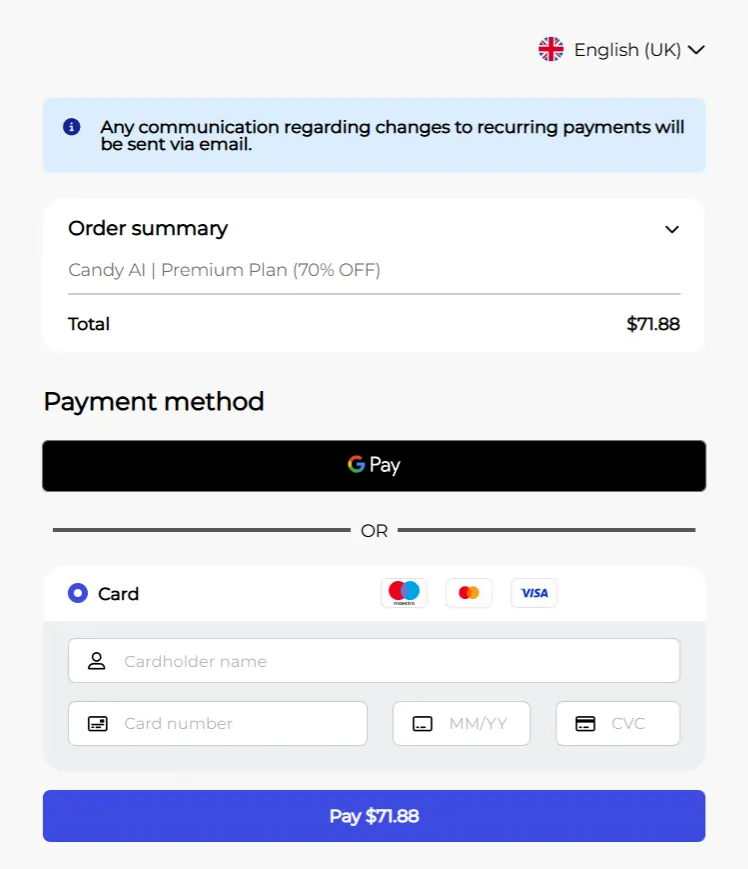
Wallet payments can keep your raw card number private from the merchant, which is nice, but your bank statement still exists, and your wallet history can be browsed by anyone who can unlock your phone.
5) Your main debit card (most “oops” potential)
Debit cards + shared checking accounts are where privacy goes to die. If your statement is shared, or your partner checks transactions, you’re basically opting into “explain this charge later” roulette.
📝Discreet Billing Checklist: What to Verify Before You Pay
This is the section I wish every buyer read first.
| Check | Why it matters | What to look for |
|---|---|---|
| Statement descriptor clue | Prevents panic + charge disputes | Any mention of “statement descriptor,” “billing descriptor,” “merchant name,” or a support phone number |
| Receipts and renewal emails | Prevents “why did I get this email?” moments | Clear notice of renewal timing and where emails will be sent |
| Cancellation path | Prevents the subscription-trap headache | A visible “manage subscription” or “cancel” flow; no “email us to cancel” nonsense |
| Trial terms | Prevents surprise renewals | Trial length, renewal price, renewal cadence, and the exact renewal date |
| Payment processor trust | Reduces fraud risk | Recognizable checkout (Stripe/Adyen/PayPal/etc.), HTTPS, clear business info |
| Privacy policy + data handling | Helps you decide your risk | What they store (chat logs, images), retention, deletion requests, third-party processors |
The “small charge test” trick (my go-to)
If the site offers a low-cost weekly plan, a cheap add-on, or a trial (even paid), I’ll sometimes do a small test purchase first, then check:
- how it looks on my banking app
- whether I get a receipt email
- what the renewal notice looks like
That tells you more about “discreet billing” than a thousand Reddit comments.
What Usually Shows on Statements (Without Getting Too Cute About It)
Let’s not overpromise here: I can’t tell you exactly what your bank will display. Banks and card issuers sometimes show a “friendly” merchant name, and processor docs note behavior can vary by issuer.
What I can tell you is the pattern:
So the realistic goal is:
- the charge is recognizable to you
- it isn’t explicit to someone casually glancing at a statement
If you’re buying from a well-known AI companion brand, that’s usually achievable—but verify.
🎯 The Biggest Discreet Billing Red Flags (If You See These, I’d Bail)
Some stuff is a giant neon sign that trouble is coming.
| Red flag | What it signals | Why I’d avoid it |
|---|---|---|
| “Email us to cancel” only | Cancellation friction | Higher chance of unwanted renewals or delays |
| No renewal date shown | Subscription trap vibes | You can’t plan a safe cancel window |
| No company info anywhere | Low trust | Harder to get support; higher scam risk |
| Checkout feels cloned/odd | Fraud risk | You may not be paying who you think you’re paying |
| Aggressive upsells at checkout | Dark patterns | Often correlates with messy billing experiences |
If You’re Buying Adult/NSFW AI Tools: Extra Privacy Notes
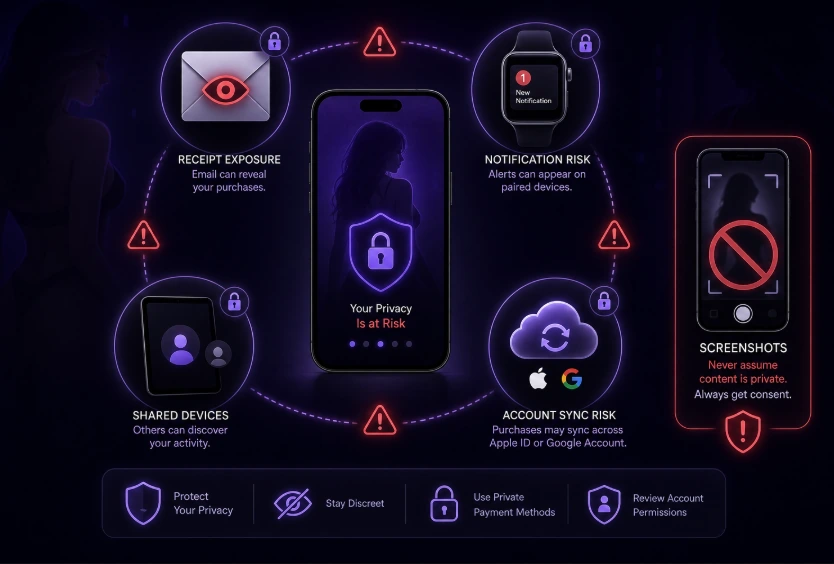
I keep this part practical and non-judgy: if you’re paying for NSFW or spicy companion features, privacy is not a cute bonus feature—it’s the whole vibe.
Don’t just think “billing.” Think: receipts + devices + accounts.
The most common “exposure” points I see:
If any of that sounds like your life, separate your accounts before you subscribe.
Also: don’t upload other people’s screenshots without consent
Some tools (and some AI wingman apps) let you upload chat screenshots. That’s a separate privacy issue, and it can involve other people’s personal info. If you want to go down that route, treat it like sensitive data—because it is.
✨ “Discreet Billing” vs “Discreet Usage” (They’re Not the Same)
Even if the charge is discreet, the app itself can be loud:
If discretion matters, turn off notifications, use a separate browser profile, and don’t save the password on a shared machine.
Which AI Girlfriend App Should You Use? (Matched to Your Privacy Needs)
If you’re reading this because you want an AI girlfriend app that’s fun and doesn’t make your finances messy, here’s how I’d route you:
🙄 What to Do If You Need to Cancel (Without Panic)
Cancellation is where privacy and money meet, so don’t wing it.
If you subscribed via Apple
Apple documents the cancellation steps inside iOS/macOS subscription settings. The big point: you cancel in your Apple subscription manager, not by uninstalling or deleting an app.
If you subscribed via Google Play
Google’s help docs are also explicit: uninstalling doesn’t cancel. You cancel through Google Play subscriptions.
If you subscribed on the website directly
This is where things get messy across the internet. My rules:
- cancel immediately after subscribing (if you only needed a month) and verify the “expires on” date
- screenshot/save the confirmation page or email
- set a calendar reminder 2–3 days before renewal
If a site makes cancellation hard, that’s not a “small annoyance.” It’s a billing risk.
If the vendor has gone dark or support isn't responding
Don't wait it out. Your fastest options are disputing the charge with your card issuer or asking your bank to block future charges from that merchant — keep any receipts or confirmation emails as supporting evidence.

More From OhGirlfriend
💲 Cost Notes (Because “Discreet” Can Get Expensive)
Discreet billing is often bundled with subscription models—weekly plans, monthly plans, token packs, add-ons.
That means two cost traps:
If you're pricing-sensitive, read the pricing pages before you upgrade — Candy AI pricing and GirlfriendGPT pricing.

Lucas – your go-to wingman in the world of AI girlfriends and virtual flings. From testing voice moans and NSFW chatbots to rating roleplay realism and emotional depth, he’s tried everything so you don’t have to. Whether you’re chasing a cute cuddle bot or a full-on spicy fantasy AI, Lucas gives you the no-filter lowdown on who’s worth your time (and your late nights).
Affiliate Disclosure: This post may contain some affiliate links, which means we may receive a commission if you purchase something that we recommend at no additional cost for you (none whatsoever!)